Learning how to set up a smart home system without technical experience is mostly about starting small, choosing devices that work together, and avoiding unnecessary complexity. You do not need to understand wiring, networking, or advanced automation to make your home more convenient.
The easiest path is to begin with simple devices such as smart bulbs, smart plugs, smart speakers, cameras, sensors, or a smart thermostat. These products are designed for everyday users and usually work through a mobile app that guides you step by step.
The biggest mistake beginners make is buying several devices from different brands before deciding how they will be controlled. That can lead to too many apps, confusing setup steps, and automations that do not work smoothly.
This guide explains how to plan, install, connect, secure, and expand a smart home system in a practical way, even if you have never used smart devices before.
Important note: smart home devices can collect data, connect to your Wi-Fi, and control parts of your home. Use strong passwords, keep apps updated, and avoid electrical work unless you are qualified. For switches, outlets, thermostats, or hardwired cameras, consider help from a licensed professional.
Start With One Simple Goal
Before buying anything, decide what problem you want your smart home to solve first. A smart home does not need to begin as a complete system. In fact, starting with one clear goal usually makes the setup easier and cheaper.
For example, if you want convenience, start with smart lights or smart plugs. If you want security, begin with a video doorbell, camera, or door sensor. If you want comfort, a smart thermostat may be more useful than several small accessories.
A practical beginner setup might be one smart speaker, two smart bulbs, and one smart plug. This gives you voice control, app control, and a simple automation without making the system difficult to manage.
| Goal | Good First Device | Beginner Tip |
|---|---|---|
| Convenience | Smart bulbs or smart plugs | Choose devices that work with your phone and voice assistant. |
| Security | Camera, video doorbell, or contact sensor | Check storage options and privacy settings before buying. |
| Comfort | Smart thermostat or smart lights | Make sure the device is compatible with your home system. |
| Energy control | Smart plug with energy monitoring | Use it on lamps, fans, or small appliances, not high-power equipment unless supported. |
Choose One Main Smart Home Platform
The easiest way to set up a smart home system without technical experience is to choose one main platform before buying devices. Common options include Amazon Alexa, Google Home, Apple Home, and Samsung SmartThings.
This platform becomes the place where you control most of your devices. It can help you avoid switching between five different apps just to turn off lights, check a camera, or run a routine.
Before buying a device, look for compatibility labels on the package or product page. If you already use an iPhone, Apple Home may feel natural. If you use Android and Google services, Google Home may be easier. If you already have Echo speakers, Alexa may be the simplest starting point.
You may also see the Matter logo on newer smart home products. Matter is a smart home connectivity standard created to help devices from different brands work together more easily. It can reduce confusion, but it does not mean every feature will work perfectly with every platform, so it is still smart to check compatibility before buying.
How to Set Up a Smart Home System Without Technical Experience
-
Check your Wi-Fi first.
Most beginner smart home devices depend on a stable Wi-Fi connection. If your signal is weak in the room where you want to install a device, setup may fail or the device may disconnect often. Test your phone’s Wi-Fi signal in that area before buying more devices.
-
Install the main app.
Download the app for your chosen platform, such as Alexa, Google Home, Apple Home, or SmartThings. Sign in with an account you control and protect it with a strong password. If two-factor authentication is available, turn it on.
-
Set up one device at a time.
Do not try to connect five devices at once. Add the first device, test it, rename it clearly, and only then move to the next one. A simple name like Bedroom Lamp is better than a confusing name like Light 3.
-
Place devices before creating automations.
Make sure lights, plugs, cameras, and sensors work manually before building routines. If the basic control does not work, automation will only make the problem harder to identify.
-
Create one simple routine.
Start with something easy, such as turning on the living room lights at sunset or switching off a lamp at bedtime. Once you understand how routines work, you can add more conditions and devices later.
-
Test the setup for a few days.
Use the devices in real life before expanding. Notice what feels useful and what feels unnecessary. Many beginners discover that a few reliable automations are better than a large system that needs constant fixing.
Beginner-Friendly Devices Worth Starting With
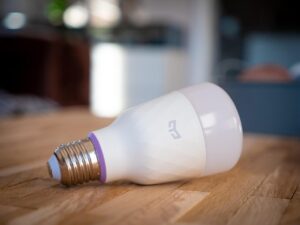
Smart bulbs are usually the easiest starting point because they do not require tools. You screw them in, connect them through an app, and control brightness, schedules, or colors depending on the model.
Smart plugs are also beginner-friendly. They turn ordinary devices into app-controlled devices, as long as the appliance is suitable for plug control. Lamps, fans, coffee makers with physical switches, and decorative lights are common examples.
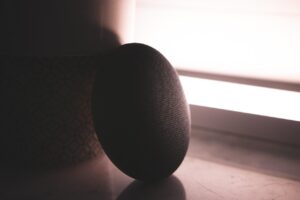
Smart speakers can act as a simple control center. They let you use voice commands, group devices by room, and run routines. For many beginners, this makes the system feel easier because they do not need to open an app every time.
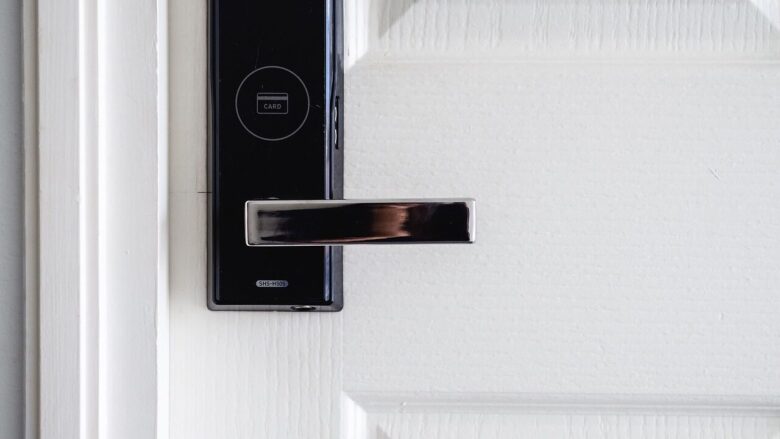
Cameras, doorbells, and locks require more attention. They can be useful, but they involve privacy, security, storage, battery life, and placement decisions. Read the settings carefully before installing them, especially if they record video or audio.
Common Mistakes That Make Setup Harder
A smart home should make daily life easier, not create more small problems. Many setup issues happen because beginners buy devices too quickly or skip basic settings.
| Common Mistake | Why It Causes Problems | Better Approach |
|---|---|---|
| Buying devices before choosing a platform | You may end up with products that do not work well together. | Choose your main app first, then buy compatible devices. |
| Using weak passwords | Smart devices can become a security risk if accounts are easy to access. | Use unique passwords and enable two-factor authentication when available. |
| Skipping updates | Old firmware may contain bugs or security weaknesses. | Check app and device updates regularly. |
| Creating too many routines at once | It becomes difficult to know which rule caused a problem. | Build one automation, test it, then add another. |
| Ignoring Wi-Fi coverage | Devices may disconnect, respond slowly, or fail during setup. | Improve router placement or use a mesh system if needed. |
Privacy and Security Checklist Before You Expand
Smart home security does not need to be complicated. The most important steps are basic habits that protect your accounts, your Wi-Fi, and your personal data.
- Change default device names and passwords when the app allows it.
- Use a strong, unique password for your smart home account.
- Turn on two-factor authentication if the platform supports it.
- Keep device firmware and mobile apps updated.
- Review camera, microphone, location, and notification permissions.
- Disable features you do not use, especially remote access when unnecessary.
- Use a guest network or separate Wi-Fi network for smart devices if your router supports it.
- Remove old devices from your account before selling, donating, or throwing them away.
In practice, privacy issues often appear after the device is already working. A camera may be recording more than expected, a shared account may give someone too much control, or notifications may reveal activity patterns. Reviewing settings after installation is just as important as getting the device connected.
When a Hub Is Helpful and When It Is Not
Some smart home devices connect directly to Wi-Fi. Others use a hub, which is a small device that helps products communicate through systems such as Zigbee, Z-Wave, Thread, or Matter-compatible networks.
For beginners, Wi-Fi devices are usually easier because they connect directly to the router and app. The downside is that too many Wi-Fi devices can crowd your network, especially if your router is basic or placed far from some rooms.
A hub can be helpful when you want many sensors, switches, locks, or automations that respond quickly. It can also reduce dependence on Wi-Fi for every single device. However, if you are only starting with a few bulbs and plugs, you may not need a hub right away.
A good rule is simple: avoid buying a hub until a device you truly want requires it, or until your smart home grows enough that one central controller would make the system easier to manage.
When to Ask for Professional Help
You can install many smart home devices yourself, but some situations deserve professional support. Anything involving electrical wiring, circuit breakers, built-in switches, door locks, HVAC systems, or outdoor mounting should be handled carefully.
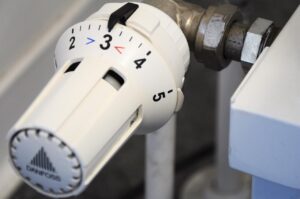
If a smart thermostat needs wiring changes, confirm compatibility before installation. If a smart switch requires a neutral wire and you are not sure what that means, do not guess. Incorrect installation can damage equipment or create a safety risk.
Professional help is also useful when you want a larger setup with cameras, smart locks, sensors, outdoor lights, and several automations. A clean installation can prevent weak Wi-Fi areas, messy wiring, poor camera angles, and unreliable routines.
Conclusion
The best way to set up a smart home system without technical experience is to begin with a small, clear purpose. Choose one platform, buy compatible devices, connect them one at a time, and test each step before adding more.
A beginner-friendly smart home does not need to be expensive or complicated. A few smart bulbs, plugs, sensors, or a speaker can already improve comfort, security, and convenience when they are chosen carefully.
As your system grows, focus on privacy, strong passwords, updates, and compatibility. If a device requires wiring or affects home security, getting help from a qualified professional is usually the safer choice.
FAQ
1. Can I set up a smart home without knowing technology?
Yes. Many smart home devices are designed for beginners and include guided setup through a mobile app. The easiest method is to start with simple devices such as smart bulbs, smart plugs, or a smart speaker before moving to cameras, thermostats, locks, or advanced automations.
2. Do I need a smart home hub?
Not always. Many beginner devices connect directly to Wi-Fi and work through an app. A hub becomes more useful when you have many sensors, switches, locks, or devices that use Zigbee, Z-Wave, Thread, or Matter-based connections. For a small setup, you can usually start without one.
3. What is the easiest smart home device to install first?
A smart bulb or smart plug is usually the easiest first device. They do not normally require wiring, and the setup is simple: install the app, connect the device, name it, and test control from your phone. They are also affordable ways to learn how smart home routines work.
4. Is a smart home safe for privacy?
It can be, but only if you manage settings carefully. Use strong passwords, enable two-factor authentication, update apps and devices, and review camera or microphone permissions. Avoid unknown brands with unclear privacy policies, especially for cameras, locks, and devices that collect personal data.
Official References
- Federal Trade Commission — Securing Your Internet-Connected Devices at Home
- CISA — Securing the Internet of Things
- Connectivity Standards Alliance — Matter Smart Home Standard
- NIST — Consumer IoT Cybersecurity
The Connected Home Shield Editorial Team publishes practical, beginner-friendly content about smart home devices, home network security, IoT setup, automation, energy efficiency, privacy, and connected-home troubleshooting. Our guides are prepared for general educational purposes, with a focus on clear instructions, safer configurations, realistic expectations, and accessible information for users with different levels of technical experience.