Learning how to automate daily home tasks with IoT devices is not about filling your house with expensive gadgets. The real goal is to make repeated routines easier, safer, and more consistent, such as turning lights off at night, adjusting the thermostat, checking doors, starting appliances, or getting reminders before something is forgotten.
IoT, or Internet of Things, refers to everyday devices that connect to the internet or to a home network so they can be controlled, scheduled, or triggered automatically. In a smart home, this can include bulbs, plugs, cameras, speakers, sensors, thermostats, locks, robot vacuums, appliances, and hubs.
The best automations are usually simple. A motion sensor that turns on hallway lights at night can be more useful than a complicated setup with ten different rules. A smart plug that shuts off a coffee maker after a fixed time can prevent waste and reduce worry. Small routines often create the biggest difference because they solve tasks that happen every day.
This guide explains how to plan, choose, and set up smart home automations in a practical way, with attention to compatibility, security, cost, and common mistakes beginners should avoid.
Important note: IoT devices can improve convenience, but they also connect to your home network and may collect data. Before installing cameras, smart locks, thermostats, or connected appliances, review privacy settings, use strong passwords, keep devices updated, and follow the manufacturer’s safety instructions. For electrical installations, hire a qualified professional when wiring or advanced setup is required.
How to Automate Daily Home Tasks With IoT Devices Without Overcomplicating It
The easiest way to start is by choosing one daily problem instead of buying several devices at once. For example, if you often forget lights on, start with smart bulbs or smart switches. If your main issue is energy use, begin with a smart thermostat or smart plugs. If you want better awareness at home, consider sensors, cameras, or door alerts.
A good automation has three parts: a trigger, an action, and a condition. The trigger starts the rule, the action is what happens, and the condition controls when it should happen. For example, “when motion is detected, turn on the hallway light, but only after sunset.” This simple structure helps avoid messy routines that activate at the wrong time.
In practice, many beginners make the same mistake: they automate too much too quickly. The result is a home that feels confusing instead of helpful. Start with routines that are easy to test, easy to disable, and useful even if one device fails.
| Daily task | Useful IoT device | Example automation | Important care |
|---|---|---|---|
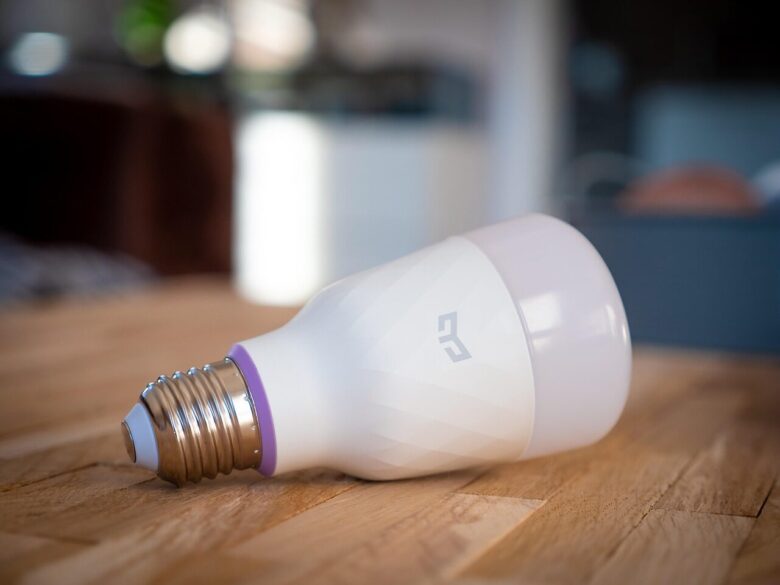
| Turning lights on and off | Smart bulb, smart switch, motion sensor | Turn on entryway lights when someone arrives after sunset. | Use switches carefully if other people still expect manual control. |
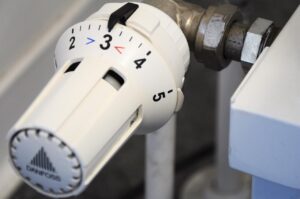
| Managing temperature | Smart thermostat, temperature sensor | Lower heating or cooling when nobody is home. | Check compatibility with your HVAC system before buying. |
| Reducing standby power | Smart plug | Turn off entertainment devices at midnight. | Do not use low-rated plugs with high-power appliances. |
| Home security reminders | Door sensor, camera, smart lock | Send an alert if a door opens while you are away. | Use strong passwords and enable two-factor authentication when available. |
| Cleaning routines | Robot vacuum | Clean the living room after everyone leaves home. | Prepare the floor and avoid loose cables before scheduling. |
Choose a Smart Home Ecosystem Before Buying Devices
One of the most important decisions is choosing how your devices will be controlled. Many people use Apple Home, Google Home, Amazon Alexa, Samsung SmartThings, or a manufacturer-specific app. The best option depends on the phone, speakers, tablets, and services already used in the house.
Compatibility matters because not every smart device works well with every platform. A cheap device may look attractive, but it can become frustrating if it requires a separate app, does not support your voice assistant, or cannot be included in the automations you want.
Matter can help reduce this problem. Matter is a smart home connectivity standard created to improve compatibility between devices and platforms. It does not mean every device will support every advanced feature perfectly, but it can make basic setup and cross-platform control easier when the device, hub, and app all support it.
- Check whether the device works with your preferred smart home app.
- Look for support for Matter, Thread, Wi-Fi, Zigbee, or Z-Wave when relevant.
- Confirm whether a separate hub is required.
- Read the manufacturer’s support policy and update information.
- Avoid buying devices that require unknown apps with poor reviews or unclear privacy policies.
Start With Low-Risk Automations First
Not every home task should be automated immediately. Low-risk automations are the best starting point because mistakes are easy to fix. Lights, reminders, plugs for small electronics, music routines, and notifications are usually safer for beginners than locks, ovens, garage doors, or security systems.
A practical first setup could include a smart speaker, two smart bulbs, one smart plug, and one motion sensor. With that small group, you can automate morning lights, evening lamps, phone charging reminders, and hallway lighting without touching complex wiring.
High-impact devices, such as smart locks and cameras, need more care. They may involve privacy, remote access, guest permissions, and security settings. If you use them, spend time reviewing who has access, whether video is stored in the cloud, and how alerts are managed.
Step-by-Step Setup for a Simple Daily Automation
To make the process clear, here is a beginner-friendly example: turning on a lamp automatically in the evening and turning it off before bedtime. This type of routine is useful, affordable, and easy to change later.
-
Choose the task you want to automate.
Pick one repeated action, such as turning on a living room lamp after sunset. Avoid starting with several tasks at once because it becomes harder to know which rule caused a problem.
-
Select the right device.
For a lamp, a smart plug is often enough. For ceiling lights, a smart bulb or smart switch may work better. Check power ratings, app compatibility, and whether the device requires a hub.
-
Connect the device to your home network.
Use the official app from the manufacturer or your preferred smart home platform. During setup, avoid using weak Wi-Fi passwords and do not reuse passwords from other accounts.
-
Create the automation rule.
Set the trigger, such as sunset or a fixed time. Then choose the action, such as turning the lamp on. Add a condition if needed, such as only running the automation on weekdays.
-
Test it manually.
Run the routine from the app before relying on the schedule. Make sure the correct device turns on and that the rule does not affect other lights or plugs.
-
Add an off rule.
A common beginner mistake is creating an automation that turns something on but never turns it off. Add a second rule to turn the lamp off at bedtime or when no motion is detected for a set time.
-
Review the routine after a few days.
Daily life changes. If the automation turns on too early, too late, or during moments when nobody needs it, adjust the schedule instead of deleting the whole setup.
Useful Automations for Morning, Work, Evening, and Night
Morning routines are a good place to use IoT because they reduce small decisions. You can set bedroom lights to brighten gradually, start a coffee machine through a properly rated smart plug, adjust the thermostat, and receive a weather or calendar briefing from a smart speaker.
For work or study hours, automation can help reduce distractions. A smart speaker can trigger focus music, lights can shift to a brighter setting, and smart plugs can turn off entertainment devices during scheduled blocks. This works best when the automation supports your routine instead of trying to control every minute.
Evening routines are often the most useful. Lights can turn warmer, blinds can close if you use motorized shades, thermostats can adjust, and doors or windows can be checked through sensors. At night, motion sensors can turn on dim hallway lights so nobody needs to search for switches in the dark.
| Routine | Automation idea | Why it helps |
|---|---|---|
| Morning | Lights gradually turn on before the alarm. | Creates a smoother start without needing manual control. |
| Leaving home | Turn off lights, lower thermostat use, and send door status. | Reduces waste and gives a quick security check. |
| Working from home | Set lights and silence nonessential notifications. | Helps create a more consistent focus environment. |
| Evening | Turn on selected lamps after sunset. | Makes the home feel ready without manual switching. |
| Night | Lock doors, turn off plugs, and enable low hallway lighting. | Supports safety and reduces forgotten tasks. |
Security and Privacy Settings You Should Not Skip
Security is not a small detail in a smart home. IoT devices may connect through your router, use cloud accounts, collect usage data, and allow remote access. That is why the router, passwords, updates, and account settings matter as much as the devices themselves.
A secure setup starts with your Wi-Fi network. Change default router credentials, use strong encryption, keep router firmware updated, and consider a guest network for devices that do not need access to computers or personal files. The FTC recommends protecting both the router and each connected device, including changing default passwords and disabling features you do not use.
For each device, use unique passwords and enable two-factor authentication when available. Check firmware updates regularly, especially for cameras, locks, routers, and hubs. If a device is no longer supported by the manufacturer, consider replacing or disconnecting it, because unsupported devices may stop receiving security fixes.
- Change default usernames and passwords during setup.
- Use two-factor authentication for smart home accounts when available.
- Keep apps, hubs, routers, and device firmware updated.
- Disable remote access if you do not need it.
- Remove unused devices from your network.
- Review camera, microphone, and location permissions.
- Check access logs when the device offers them, especially for cameras.
Common Mistakes That Make Smart Home Automation Frustrating
The first mistake is choosing devices only by price. A low-cost gadget can become expensive in time and patience if it disconnects often, has poor support, or works only inside a limited app. Compatibility and reliability should come before small savings.
The second mistake is creating automations without manual backup. A smart home should still work when the internet goes down, a phone battery dies, or a device loses connection. For essential lights and locks, make sure people in the house can still use them normally.
The third mistake is ignoring other residents. An automation that seems perfect to one person can annoy everyone else. For example, motion lights that turn off too fast, voice commands that trigger the wrong room, or a thermostat schedule that does not match family habits can create more problems than they solve.
| Mistake | What can happen | Better approach |
|---|---|---|
| Buying without checking compatibility | The device may need a separate app or fail to join routines. | Check platform support before purchase. |
| Automating essential access too early | Locks or doors may become confusing for guests or family. | Start with alerts before adding automatic lock actions. |
| Using one shared password | A leaked password can affect several devices or accounts. | Use unique passwords and two-factor authentication. |
| Forgetting off rules | Lights, plugs, or appliances may stay on longer than needed. | Create both start and stop conditions. |
| Relying only on cloud control | Automations may fail during internet outages. | Use local-capable devices or hubs when reliability is important. |
When to Use Sensors Instead of Voice Commands
Voice assistants are convenient, but they are not always the best way to automate daily tasks. A voice command still requires you to remember the action. A sensor-based automation happens when a real condition changes, such as movement, temperature, door status, humidity, or presence.
For example, saying “turn on the hallway light” is useful, but a motion sensor that turns it on automatically after sunset is more effortless. A door sensor that reminds you the garage was left open can be more practical than checking an app manually.
Use voice commands for flexible tasks and sensors for repeated patterns. Voice works well for music, scenes, quick changes, and guest control. Sensors work better for safety reminders, lighting, climate adjustments, and routines that should happen without thinking.
When to Get Professional Help or Manufacturer Support
Some automations are simple enough for most beginners, especially plug-in devices, bulbs, speakers, and sensors. However, professional help is recommended when the setup involves electrical wiring, smart switches without clear neutral wire compatibility, HVAC thermostats, security systems, garage doors, or hardwired cameras.
You should also contact manufacturer support if a device disconnects frequently, overheats, shows unusual behavior, or does not update correctly. Do not ignore warning signs such as a smart plug becoming hot, a camera showing unknown access, or a lock failing to respond reliably.
If privacy is a concern, read the product’s privacy settings and account options before installation. Cameras and voice assistants deserve extra attention because they can involve audio, video, location data, and cloud storage.
Conclusion
The best way to automate daily home tasks with IoT devices is to start small, solve one real routine, and expand only when the first automation works reliably. Smart lights, plugs, sensors, thermostats, and speakers can make daily life easier when they are chosen with compatibility, safety, and privacy in mind.
A useful smart home does not need to be complicated. Focus on routines that save time, reduce forgotten tasks, improve comfort, or make the home easier to manage. Keep manual controls available, update devices regularly, and avoid automating sensitive systems before you understand how they behave.
Once the basics are stable, you can add more advanced routines, such as presence-based lighting, energy-saving schedules, security alerts, and connected appliances. The smartest setup is the one that quietly supports your day without making your home harder to use.
FAQ
1. What is the easiest IoT automation for beginners?
The easiest automation is usually a smart plug or smart bulb on a schedule. For example, you can turn a lamp on after sunset and off at bedtime. This is simple to test, does not require wiring, and helps you understand how triggers and actions work before using more advanced devices.
2. Do I need a smart home hub?
Not always. Many Wi-Fi devices work directly with an app or voice assistant. However, a hub can improve reliability and compatibility, especially when using Zigbee, Z-Wave, Thread, or multiple Matter devices. If you plan to build a larger smart home, checking hub support before buying devices is a smart move.
3. Are IoT devices safe to use at home?
They can be safe when configured carefully. Use strong passwords, enable two-factor authentication when available, update firmware, and avoid unknown brands with unclear support. Cameras, locks, and routers require extra attention because they affect privacy and access to your home.
4. What should I automate first in my home?
Start with a task you repeat every day and often forget, such as turning off lights, adjusting temperature, or checking whether a door is closed. Avoid starting with complex security or electrical projects. A small routine that works every day is more valuable than a complicated setup that needs constant fixing.
Official References
- Federal Trade Commission – Securing Your Internet-Connected Devices at Home
- NIST – Cybersecurity for IoT Program
- Connectivity Standards Alliance – Matter Smart Home Connectivity Standard
The Connected Home Shield Editorial Team publishes practical, beginner-friendly content about smart home devices, home network security, IoT setup, automation, energy efficiency, privacy, and connected-home troubleshooting. Our guides are prepared for general educational purposes, with a focus on clear instructions, safer configurations, realistic expectations, and accessible information for users with different levels of technical experience.