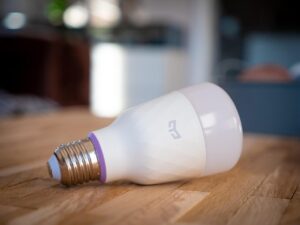
Learning how to connect smart lights, cameras, and sensors in one system is one of the best ways to make a smart home feel useful instead of fragmented. The goal is not just to control everything from one app, but to make devices work together in simple routines, such as turning on hallway lights when motion is detected or recording video when a door sensor opens.
The part that usually confuses beginners is compatibility. A smart bulb may work with one app, a camera may depend on another, and a sensor may require a hub before it can trigger anything. If these pieces are chosen without a plan, the home ends up with several apps, repeated notifications, and automations that fail at the worst moment.
A good setup starts with one main smart home platform, a reliable network, and devices that can communicate through compatible standards. Once that foundation is clear, lights, cameras, and sensors become easier to organize by room, purpose, and security level.
Important note: smart cameras, sensors, and connected lights can handle personal data, home access information, and video footage. Before adding devices, update your router, use strong passwords, enable two-factor authentication when available, and avoid unknown apps or unofficial firmware.
Choose the Main Platform Before Buying More Devices
The first decision is choosing where your smart home will be controlled. Common options include Google Home, Apple Home, Amazon Alexa, Samsung SmartThings, and manufacturer apps from brands that sell lights, cameras, and sensors. The best choice is usually the platform you already use daily on your phone, speaker, or display.
This matters because the platform becomes the command center. It is where you create rooms, name devices, build routines, manage voice control, and check whether lights, cameras, and sensors can work together. If you buy devices first and choose the platform later, you may discover that some products cannot trigger the automations you wanted.
In practice, many beginners make the mistake of choosing devices only by price. A cheap sensor is not a good deal if it cannot talk to your preferred app or if it needs a separate hub that you did not plan to buy. Before purchasing anything, check the product page for compatibility logos such as Matter, Works with Google Home, Apple Home, Alexa, SmartThings, Zigbee, Z-Wave, or the brand’s own hub requirement.
| Platform or standard | Best use | Important care |
|---|---|---|
| Matter | Connecting supported devices across multiple smart home ecosystems. | Check whether your exact device type is supported by your chosen platform. |
| Wi-Fi devices | Simple setup without a separate hub, especially for cameras and light bulbs. | Too many Wi-Fi devices can overload weak routers. |
| Zigbee or Z-Wave | Reliable low-power sensors and switches through a dedicated hub. | The hub must be compatible with the devices and your main platform. |
| Thread | Modern low-power smart home devices, especially sensors and small accessories. | You may need a Thread border router for the best experience. |
Understand How Lights, Cameras, and Sensors Work Together
Smart lights are usually action devices. They turn on, dim, change color, follow schedules, or respond to motion. Sensors are trigger devices. They detect movement, door opening, temperature, humidity, light level, water leaks, or vibration. Cameras are monitoring devices. They record, send alerts, and sometimes detect people, packages, vehicles, or pets depending on the model.
When these devices are connected in one system, the sensor usually starts the automation. For example, a motion sensor in the hallway can turn on a light at 30 percent brightness after midnight. A contact sensor on the back door can turn on outdoor lights and send a notification. A camera can start recording when another sensor detects movement near an entry point.
The important detail is that not every app allows every type of automation. Some cameras cannot be used as triggers outside their own brand app. Some sensors only expose basic motion detection to third-party platforms. Before building a routine, check whether the device can be used as a trigger, condition, or action inside your chosen platform.
How to Connect Smart Lights, Cameras, and Sensors in One System
-
Pick one main app for daily control.
Choose the platform where you want to control most devices. This prevents the setup from becoming messy. You may still keep manufacturer apps for firmware updates, but the main app should handle rooms, routines, and daily commands.
-
Check your router and Wi-Fi coverage.
Smart cameras can use more bandwidth than bulbs or sensors, especially when recording in high resolution. Place the router well, update it, and consider a mesh Wi-Fi system if cameras or outdoor devices often disconnect.
-
Add the hub or bridge first, if needed.
If your lights or sensors use Zigbee, Z-Wave, Thread, or a brand bridge, set up that hub before adding individual devices. The hub acts as the translator between the devices and your smart home platform.
-
Install smart lights room by room.
Start with high-use areas such as the living room, hallway, kitchen, or entryway. Name each light clearly, such as “Hallway Ceiling” instead of “Light 1.” Clear names make voice control and automation easier later.
-
Add sensors based on real situations.
Do not place sensors randomly. Use motion sensors where people pass through, contact sensors on doors or windows, and leak sensors near sinks, washing machines, or water heaters. A good sensor placement solves a specific problem.
-
Connect cameras with privacy in mind.
Place cameras at entrances, garages, or outdoor areas where monitoring makes sense. Avoid pointing indoor cameras at private spaces unless there is a clear reason. Review storage settings, sharing permissions, and notification options.
-
Create simple automations first.
Begin with one trigger and one action. For example, “When hallway motion is detected after sunset, turn on hallway light.” Once that works reliably, add conditions such as time, brightness level, or whether someone is home.
-
Test every routine for a few days.
Walk through the house as you normally would and watch what happens. If lights turn on too often, adjust sensitivity or time conditions. If alerts become annoying, reduce duplicate notifications before adding more devices.
Build Automations Around Real Home Scenarios
The best smart home automations are not the most complex. They are the ones that quietly remove small daily annoyances. A front door sensor can turn on entry lights after sunset. A motion sensor can light the bathroom softly at night. A camera can notify you only when movement happens near the driveway, instead of sending alerts for every passing shadow.
A practical way to think about automation is trigger, condition, and action. The trigger is what starts the routine, such as motion detected. The condition limits when it should happen, such as only after 7 p.m. The action is the result, such as turning on a light or starting camera recording.
For beginners, the safest approach is to avoid automations that affect security without manual review. For example, using a sensor to turn on lights is usually low risk. Using a sensor to unlock a door automatically is much more sensitive and should be handled carefully, if used at all.
| Scenario | Trigger | Action | Useful condition |
|---|---|---|---|
| Night hallway lighting | Motion sensor detects movement | Turn on hallway light at low brightness | Only between sunset and sunrise |
| Front door awareness | Door sensor opens | Turn on entry light and send notification | Only when nobody is home |
| Outdoor security | Camera detects motion | Turn on outdoor light | Only at night |
| Leak prevention | Water sensor detects moisture | Send urgent alert | Always active |
Checklist Before You Connect Everything
Before adding many devices at once, it helps to pause and check the foundation. A smart home can become difficult to manage if the network is weak, names are confusing, or devices are split across too many apps.
- Choose one main smart home platform for daily use.
- Confirm that each device works with that platform before buying.
- Update your phone, router, hubs, and smart home apps.
- Use a strong Wi-Fi password and avoid default router credentials.
- Name devices by room and function, such as “Kitchen Motion Sensor.”
- Keep cameras on secure accounts with two-factor authentication when available.
- Check whether battery-powered sensors are easy to access for replacement.
- Test automations for reliability before depending on them for security.
Common Mistakes That Make Smart Home Systems Unreliable
One common mistake is mixing too many ecosystems without a clear plan. A house can have devices from different brands, but they should still connect through a shared platform or standard. If each device depends only on its own app, automations become harder to maintain.
Another mistake is placing sensors where they catch the wrong movement. A motion sensor pointed toward a busy window may trigger lights all day. A camera facing a street may send too many alerts. A contact sensor installed loosely on a door may report false openings. Placement matters as much as the device itself.
Weak Wi-Fi is also a frequent cause of failure. Smart lights and sensors may use little data, but cameras need a stronger connection. If a camera disconnects often, the problem may not be the camera. It may be distance from the router, interference, upload speed, or poor outdoor coverage.
Security and Privacy Settings You Should Not Ignore
Smart home security starts with the router because most connected devices depend on it. Change the router’s default admin password, keep firmware updated, and use modern Wi-Fi encryption when available. If your router supports a guest network or separate IoT network, it can help isolate smart devices from personal computers and work devices.
For each smart device, change default passwords, enable two-factor authentication when the app supports it, and review who has access to the home. This is especially important for cameras because shared access can expose live video, recordings, or motion history.
Also check software update policies before buying expensive devices. Some smart products depend on cloud services, and features may change if the manufacturer stops supporting the device. A low price is less attractive if the product receives poor updates or has unclear privacy controls.
When to Use a Hub Instead of Only Wi-Fi Devices
Wi-Fi devices are easy for beginners because they connect directly to the router. This works well for a few smart bulbs, plugs, and cameras. However, a home with many sensors may benefit from a hub-based system using Zigbee, Z-Wave, or Thread, because these technologies are designed for low-power smart home communication.
A hub can also make automations more stable. Instead of every device depending directly on cloud services, the hub can coordinate local communication for supported devices. This can improve response time, especially for lights and sensors that need to react quickly.
The tradeoff is that hubs add another piece to manage. You need to check compatibility, update the hub, and understand which devices pair with it. For a small apartment, Wi-Fi and Matter devices may be enough. For a larger home with many sensors, a hub or Thread border router can make the system cleaner.
When to Contact Support or Ask for Professional Help
If devices fail during setup, first check the basics: app permissions, Bluetooth, Wi-Fi signal, QR code scanning, firmware updates, and whether the device is already paired to another account. Many pairing problems happen because the device was not fully reset before being added to a new system.
Contact manufacturer support if a device repeatedly fails to pair, disappears from the app, or shows errors after firmware updates. For cameras, support is also useful when cloud recording, storage plans, or detection features do not match what the product page promised.
For wired smart switches, outdoor cameras, doorbells, or any device connected to household electricity, consider a qualified installer if you are not comfortable with wiring. Smart home convenience is not worth the risk of unsafe electrical work.
Conclusion
The best way to connect smart lights, cameras, and sensors in one system is to start with a clear platform, confirm compatibility before buying, and build simple automations around real daily needs. A reliable smart home is usually planned room by room, not built by adding random devices whenever they are on sale.
Lights, cameras, and sensors work best when each one has a clear role. Sensors detect events, lights respond instantly, and cameras add awareness where monitoring is useful. When the network is stable and the automations are simple, the whole system feels easier to trust.
Before expanding your setup, review security settings, update devices, and test each routine for a few days. If something controls access, records video, or connects to electrical wiring, take extra care and use official support or professional help when needed.
FAQ
1. Can I connect smart lights, cameras, and sensors from different brands?
Yes, but only if they support the same smart home platform, hub, or standard. Matter can help with compatibility for supported device types, but not every feature from every brand is always available in every app. Always check the exact product compatibility before buying.
2. Do I need a hub for a smart home system?
Not always. Many Wi-Fi lights and cameras work without a hub. However, sensors and larger setups often work better with a hub, bridge, or Thread border router. A hub can improve reliability, reduce battery use for some devices, and make automations easier to manage.
3. Why do my smart home automations fail sometimes?
Automations usually fail because of weak Wi-Fi, low sensor battery, cloud delays, poor device placement, or compatibility limits. Start by testing one routine at a time. If the trigger works but the action does not, check whether the platform allows that device to be used in automations.
4. Is it safe to connect cameras to the same system as lights and sensors?
It can be safe if you use strong account security, update devices, limit shared access, and review privacy settings. Cameras need extra care because they handle video and motion history. Use two-factor authentication when available and avoid placing cameras in private indoor areas without a clear reason.
Official References
- Connectivity Standards Alliance – Matter smart home standard
- Google Home Help – Prepare your smart home for Matter
- Apple Support – Pair and manage your Matter accessories
- Federal Trade Commission – Securing your internet-connected devices at home
The Connected Home Shield Editorial Team publishes practical, beginner-friendly content about smart home devices, home network security, IoT setup, automation, energy efficiency, privacy, and connected-home troubleshooting. Our guides are prepared for general educational purposes, with a focus on clear instructions, safer configurations, realistic expectations, and accessible information for users with different levels of technical experience.