Smart home automation ideas for apartments and small homes work best when they solve small daily problems without adding clutter, complicated wiring or devices you will never use. In a compact space, a single smart plug, motion sensor or light routine can make the home feel more comfortable, safer and easier to manage.
The main advantage of a smaller home is that you do not need a large system to see a real difference. A few well-chosen automations can control lighting, reduce wasted energy, improve security and make everyday tasks smoother.
The challenge is choosing devices that fit your space, your rental rules and your actual routine. Many beginners buy too many gadgets at once, then end up with apps they rarely open and automations that feel more annoying than helpful.
This guide focuses on practical ideas for renters, apartment owners and people living in small homes who want useful automation without turning the space into a complicated tech project.
Important note: before installing smart locks, cameras, thermostats, switches or anything connected to wiring, check your lease, building rules and local safety requirements. Avoid electrical work if you are not qualified, use strong passwords, and keep device apps updated.
Smart Home Automation Ideas for Apartments and Small Homes That Make Sense
The best automations for small spaces are simple, reversible and easy to control. In an apartment, you usually want devices that do not require drilling, rewiring or permanent changes. In a small house, you may have more freedom, but the same rule applies: start with the areas you use every day.
A good first setup usually includes smart bulbs or smart plugs, a voice assistant or home hub if needed, one or two sensors, and routines based on time, motion or presence. This gives you useful control without filling every outlet with devices.
| Automation idea | Best use | Important caution |
|---|---|---|
| Smart lighting routines | Bedrooms, living rooms and entryways | Choose warm light for evening routines to avoid harsh lighting at night. |
| Smart plugs | Lamps, fans, coffee makers and chargers | Check the power rating before connecting heaters or high-load appliances. |
| Motion sensors | Hallways, bathrooms and closets | Place them carefully so pets or passing shadows do not trigger them all day. |
| Leak sensors | Under sinks, near washing machines and water heaters | Test alerts after setup so you know notifications are working. |
| Smart thermostat or AC control | Homes with compatible heating or cooling systems | Confirm compatibility before buying, especially in rentals. |
Start With Lighting Because It Changes the Space Immediately
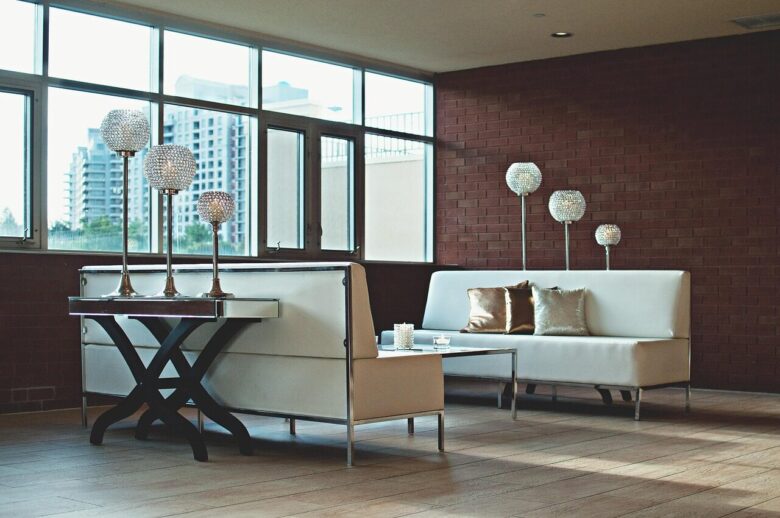
Lighting is usually the easiest and most satisfying place to begin. In a small home, one ceiling light can make a room feel too bright, while one smart lamp can create a softer atmosphere for reading, watching TV or waking up.
A useful automation is a morning routine that slowly turns on bedroom lights at a low brightness. This is especially helpful in apartments where natural light may be limited by nearby buildings, small windows or interior-facing rooms.
For evenings, create a routine that dims the main lights and turns on warmer lamps. This makes the home feel calmer and also prevents the common habit of leaving bright lights on in rooms you are not using.
- Use smart bulbs in lamps before replacing wall switches.
- Create one morning routine and one night routine first.
- Use motion lights only in areas where short automatic lighting makes sense.
- Avoid making every light voice-controlled if a normal switch is still easier.
Use Smart Plugs for Devices You Already Own
Smart plugs are practical because they make ordinary devices easier to control. You can use them with lamps, fans, air purifiers, holiday lights, coffee makers and some chargers. They are also renter-friendly because they do not require permanent installation.
One simple idea is to connect a floor lamp to a smart plug and schedule it to turn on before you arrive home. Another useful setup is connecting a fan to a plug and turning it off automatically after a few hours, instead of leaving it running all night.
The most important detail is the power rating. Not every smart plug is suitable for high-power devices. Space heaters, irons, electric kettles and similar appliances need extra caution because they can create safety risks if used with the wrong plug or left unattended.
Create Comfort Automations Without Wasting Energy
Small spaces heat up and cool down faster than larger homes, which can be good or bad depending on your setup. A room can become comfortable quickly, but it can also get stuffy, humid or cold if ventilation and temperature are not managed well.
If your home has a compatible HVAC system, a smart thermostat can help adjust heating and cooling based on schedules or occupancy. ENERGY STAR notes that certified smart thermostats are tested using actual field data and can help reduce heating and cooling energy use, although savings depend on the home, climate and habits.
If you cannot install a thermostat, you can still automate comfort with smart plugs, temperature sensors, ceiling fans, smart AC controllers or routines that remind you to close blinds during hot afternoons. In many apartments, this kind of low-cost setup is more realistic than replacing the thermostat.
Make Security Useful Without Making It Intrusive
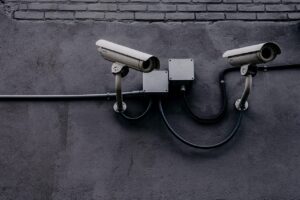
Security automation in apartments and small homes should be practical and respectful of privacy. A video doorbell, entry sensor or indoor camera can be useful, but it should not record shared hallways, neighbors or private areas unnecessarily.
For renters, door and window contact sensors are often safer than changing locks. They can send an alert when a door opens, trigger a light when you come home or remind you if a window was left open before bedtime.
A good security routine is simple: when you leave, lights turn off, selected sensors arm, and one lamp turns on later to make the home look occupied. When you return, the entry light turns on and security notifications pause. The goal is control, not constant alerts.
Automate Small Daily Tasks in the Kitchen and Laundry Area
Small kitchens and laundry corners benefit from automations that prevent forgetfulness. A smart plug can remind you when a coffee maker has been on too long, while a leak sensor under the sink can warn you before a small drip becomes a bigger problem.
If you use a washing machine in an apartment, vibration or energy-monitoring smart plugs may help estimate when a cycle is finished. This can be useful when the machine is in a closet, balcony area or shared space where you cannot hear the end signal.
For the kitchen, avoid risky automations that start heating appliances when nobody is nearby. It is usually safer to use smart plugs for reminders, automatic shutoff or monitoring instead of remote starting.
A Simple Step-by-Step Plan for Beginners
The easiest way to build a smart home in a small space is to solve one problem at a time. This keeps costs controlled and helps you understand what you actually use before buying more devices.
-
Choose one daily annoyance.
Start with something specific, such as forgetting lights on, coming home to a dark room or leaving a fan running. A clear problem makes it easier to choose the right device.
-
Pick a simple device first.
For most beginners, a smart bulb or smart plug is enough. These are easy to install, easy to move and usually do not require permission from a landlord.
-
Use one main app or ecosystem.
Try to choose devices that work with the same platform, such as Alexa, Google Home, Apple Home or another hub you already use. Too many separate apps can make automation feel messy.
-
Create one routine and test it for a week.
Do not automate everything on day one. Test one routine, notice what annoys you, adjust the timing and only then add more devices.
-
Review security settings.
Change default passwords, enable two-factor authentication when available, update firmware and remove devices you no longer use from your account.
Common Mistakes to Avoid in Small-Space Automation
A common mistake is buying devices before deciding what problem they should solve. In a small apartment, too many sensors, cameras and voice commands can make the space feel more complicated instead of more comfortable.
Another mistake is using motion sensors in the wrong place. A sensor in a busy living room may turn lights on and off too often, while the same sensor in a hallway, closet or bathroom can be genuinely useful.
Privacy is also easy to ignore. Cameras and microphones should be placed with care, especially in shared apartments. If other people live with you, explain what the devices do and avoid recording private areas.
| Mistake | Why it causes problems | Better approach |
|---|---|---|
| Buying too many devices at once | It creates app clutter and routines you may not use. | Start with one room and one daily problem. |
| Ignoring Wi-Fi coverage | Devices may disconnect or respond slowly. | Test signal strength where the device will be placed. |
| Automating unsafe appliances | Some devices should not run unattended. | Use automation for alerts or shutoff instead of remote starting. |
| Skipping updates | Outdated devices may have security weaknesses. | Check firmware and app updates regularly. |
When to Ask for Help or Check Official Guidance
You should ask a qualified professional before replacing wall switches, installing hardwired thermostats, changing locks in a rental or working near electrical panels. Even if a tutorial looks simple, wiring mistakes can create safety risks or violate lease rules.
You should also check official guidance when a device collects personal data, records video or connects to your home network. The FTC and CISA both provide practical security advice for internet-connected devices, including using updates, strong passwords and available security features.
If a device requires permanent installation, always check the lease or building policy first. For many apartment residents, removable smart plugs, bulbs, sensors and portable cameras are a safer starting point than hardwired upgrades.
Conclusion
Smart home automation ideas for apartments and small homes should make daily life easier without adding unnecessary complexity. The most useful setups usually begin with lighting, smart plugs, sensors and simple routines that match how you already live.
Start small, test each automation, and focus on comfort, safety and energy awareness. A compact home does not need dozens of connected devices to feel smart; it needs a few reliable automations that work quietly in the background.
Before buying anything permanent or expensive, check compatibility, security settings and installation requirements. That small pause can prevent wasted money, rental issues and devices that do not fit your home.
FAQ
1. What is the best first smart home device for an apartment?
A smart plug or smart bulb is usually the best first device because it is affordable, easy to install and removable. You can use it to control a lamp, fan or small appliance without changing wiring or asking for major installation permission.
2. Can renters use smart home devices?
Yes, renters can use many smart home devices, especially plug-in and battery-powered options. Smart bulbs, plugs, sensors and portable cameras are usually renter-friendly. For smart locks, thermostats or wall switches, check your lease and ask the landlord before making changes.
3. Do smart home devices use a lot of Wi-Fi?
Most basic smart home devices use very little data, but too many devices on a weak router can cause slow response times or disconnections. In a small home, the bigger issue is usually signal quality, app compatibility and keeping devices updated.
4. Are smart home automations safe?
They can be safe when installed correctly and used responsibly. Avoid automating high-risk appliances, change default passwords, enable two-factor authentication when available and keep firmware updated. For wiring, locks or HVAC systems, use qualified help when needed.
Official References
- ENERGY STAR — Smart Thermostats
- Federal Trade Commission — Securing Your Internet-Connected Devices at Home
- CISA — Securing the Internet of Things
The Connected Home Shield Editorial Team publishes practical, beginner-friendly content about smart home devices, home network security, IoT setup, automation, energy efficiency, privacy, and connected-home troubleshooting. Our guides are prepared for general educational purposes, with a focus on clear instructions, safer configurations, realistic expectations, and accessible information for users with different levels of technical experience.