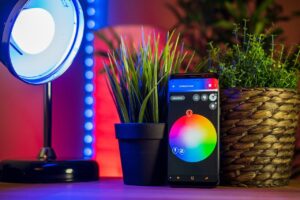
Buying the first smart-home device is easier when you start with a household problem instead of a shopping list. A useful first purchase should solve something you notice repeatedly, work with the devices you already own, and leave room for future additions without forcing you into unnecessary complexity.
Start With the Problem You Want the Device to Solve
Begin by writing down one task you want to improve. Examples include seeing who is at the door, turning lights off without walking through the house, checking a room remotely, or automating a device that follows a predictable schedule. This keeps the purchase tied to a real use case instead of novelty.
Also decide whether the device must keep working when the internet is unavailable. Some functions may depend on a cloud service, while others can continue locally through a hub, local network, or direct device controls. The exact behavior depends on the product and ecosystem, so it is worth checking before buying.
Beginner Smart-Home Purchase Priority Matrix
| Goal | Good first category | Setup effort | Main dependency to check | When to delay |
|---|---|---|---|---|
| Simple lighting control | Smart bulb or compatible switch | Low to medium | Bulb/switch ecosystem and hub requirements | If the wall switch or fixture is incompatible |
| See visitors remotely | Video doorbell | Medium | Wi-Fi, subscription options, wiring/battery needs | If placement or privacy requirements are unresolved |
| Automate a small appliance | Smart plug | Low | Electrical rating and safe restart behavior | If the appliance should not be remotely switched |
| Temperature automation | Smart thermostat | Medium to high | HVAC compatibility and installation requirements | If wiring/system compatibility is uncertain |
| Room awareness | Sensor | Low to medium | Hub/protocol support and notification behavior | If no automation or alert will use the data |
Check Compatibility Before You Add Another App
Before purchasing, identify the platform or ecosystem you already use and confirm how the new device connects. Look for the manufacturer’s current compatibility information rather than assuming that two products work together because both are described as “smart.”
- Check whether a hub is required.
- Confirm the phone operating systems supported by the app.
- Check whether the features you want require a subscription.
- Review whether automations run locally, in the cloud, or both.
- Confirm how the device behaves if the internet connection is interrupted.
A Three-Stage Buying Path for a First Smart Home
Stage 1 — solve one repeated problem. Choose one device category with an obvious purpose. Avoid buying several unrelated products before learning how the first one behaves in your network and daily routine.
Stage 2 — add devices that share the same control path. If the first purchase works well, expand with products that integrate with the same platform or automation system when that makes sense.
Stage 3 — add specialized devices only when the need is clear. Sensors, hubs, cameras, locks, energy monitors, and more advanced automation can be useful, but they create more accounts, permissions, firmware to maintain, and failure points.
What to Delay Until Your Setup Has a Clear Need
A beginner usually does not need to purchase every device category at once. Delay products whose benefit is unclear, products that require electrical or HVAC work you are not prepared to arrange, and products that introduce another cloud account without solving a new problem.
A Pre-Purchase Checklist for Your Next Device
- What exact problem will this device solve?
- Does it work with the platform or hub I already use?
- Which features depend on a subscription?
- What happens if the internet is unavailable?
- Does the device collect audio, video, presence, location, or other sensitive data?
- Can I update its firmware and manage its account securely?
- Is installation within my comfort level, or should a qualified professional handle it?
Practical Takeaway
The strongest first smart-home purchase is not the device with the longest feature list. It is the one that solves a frequent household problem, fits your existing ecosystem, and gives you a clear reason to keep using it after the novelty wears off.
References and Related Resources
These links were already part of the original article and are preserved for context.
- Connectivity Standards Alliance — Matter smart home standard
- Google Home — Control your Matter devices with Google Home
- Amazon Alexa Developers — Connect your device to Alexa with Matter
- ENERGY STAR — Smart thermostat savings FAQ
The Connected Home Shield Editorial Team publishes practical, beginner-friendly content about smart home devices, home network security, IoT setup, automation, energy efficiency, privacy, and connected-home troubleshooting. Our guides are prepared for general educational purposes, with a focus on clear instructions, safer configurations, realistic expectations, and accessible information for users with different levels of technical experience.