Building an energy-efficient smart home step by step is not about buying every smart device available. The real goal is to use technology to reduce waste, control energy use more intelligently, and make your home easier to manage without sacrificing comfort.
A smart home becomes more efficient when each device has a clear purpose. A thermostat should reduce unnecessary heating and cooling. Smart plugs should cut standby power from devices that stay on all day. Sensors should turn lights or appliances off when nobody is using them. When these pieces work together, the home starts saving energy quietly in the background.
The best approach is to start with the biggest energy users first. Heating, cooling, lighting, water heating, appliances, and electronics usually offer more meaningful savings than small decorative gadgets. A simple plan can prevent wasted money and help you choose devices that actually solve a problem.
Important note: smart home upgrades that involve electrical wiring, HVAC systems, water heaters, solar equipment, or electrical panels should be handled carefully. If you are unsure about compatibility or installation, check the manufacturer’s instructions and consider hiring a qualified professional.
Start With an Energy Audit Before Buying Devices
The first step is understanding where your home wastes energy. Many people start with smart bulbs or voice assistants, but the biggest waste often comes from heating and cooling habits, poor insulation, old appliances, lights left on, or electronics running when nobody is using them.
You can begin with a simple home energy review. Look at your utility bills from the last 6 to 12 months and notice when usage rises. If the bill increases during summer or winter, heating and cooling may be the main issue. If usage stays high all year, appliances, lighting, water heating, or standby electronics may be involved.
A professional home energy assessment can go deeper. According to the U.S. Department of Energy, a home energy assessment can identify air leaks, insulation problems, inefficient heating and cooling equipment, duct issues, and other areas that affect energy use. This is especially useful before spending money on expensive smart upgrades.
| What You Notice | Possible Cause | Smart Home Upgrade to Consider |
|---|---|---|
| High bills in summer or winter | Heating and cooling running too often | Smart thermostat, temperature sensors, HVAC scheduling |
| Lights often left on | Manual control depends on memory | Smart bulbs, motion sensors, occupancy automation |
| Electronics stay on all day | Standby power or unused devices | Smart plugs, power monitoring plugs, smart power strips |
| Rooms feel unevenly heated or cooled | Poor airflow, insulation gaps, wrong thermostat placement | Room sensors, HVAC inspection, zoning options |
| Energy use is hard to understand | No visibility into daily consumption | Energy monitor, smart meter app, utility dashboard |
Build the Smart Home Around Energy Priorities
An energy-efficient smart home should be planned around impact, not novelty. The most useful devices are the ones that reduce waste automatically or help you make better decisions. A smart display may be convenient, but a thermostat, plug load monitor, or lighting automation usually has a clearer energy purpose.
Start with three questions: what uses the most energy, what is often forgotten, and what can be automated without making daily life annoying? For example, if your air conditioner runs while nobody is home, a smart thermostat makes sense. If lamps stay on in empty rooms, motion-based lighting is more practical than buying premium color bulbs.
Compatibility also matters. Before buying anything, check whether devices work with your preferred ecosystem, such as Apple Home, Google Home, Amazon Alexa, Samsung SmartThings, Matter, Zigbee, Z-Wave, or Wi-Fi. A common mistake is buying devices that work individually but do not communicate well together.
Step-by-Step Plan to Build an Energy-Efficient Smart Home
-
Review your energy bills and daily habits.
Identify when your energy use is highest and which rooms or devices are used most often. This helps you avoid buying smart devices that look useful but do not address your real energy waste.
-
Choose one main smart home platform.
Pick the ecosystem you want to use before buying devices. This reduces compatibility problems and makes automation easier to manage from one app instead of several disconnected apps.
-
Upgrade heating and cooling control first.
If your home uses central heating or cooling, a compatible smart thermostat can be one of the most practical upgrades. ENERGY STAR notes that certified smart thermostats are independently certified based on actual field data to deliver energy savings.
-
Replace inefficient lighting with LED bulbs.
LED lighting should come before advanced lighting automation if your home still uses older bulbs. The U.S. Department of Energy says residential LEDs, especially ENERGY STAR rated products, use at least 75% less energy and last much longer than incandescent lighting.
-
Add smart plugs where devices waste standby power.
Use smart plugs for entertainment centers, office equipment, chargers, lamps, and appliances that do not need power all day. Avoid using standard smart plugs with high-power appliances unless the plug is specifically rated for that load.
-
Create simple automations.
Start with practical rules: turn off lights when rooms are empty, reduce heating or cooling when nobody is home, and shut down nonessential plugs at night. Simple automations are easier to trust and maintain.
-
Monitor results for at least one billing cycle.
After installing devices, compare your energy use over time. Weather, occupancy, and utility rates can affect bills, so focus on usage patterns rather than expecting one device to create instant savings.
Use Smart Thermostats Carefully for Heating and Cooling
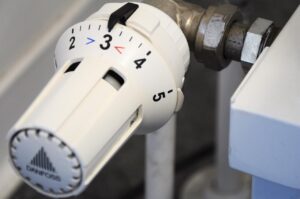
Heating and cooling are often among the largest energy uses in a home, so thermostat control deserves attention. A smart thermostat can adjust temperatures based on schedules, occupancy, weather, and remote control from your phone. ENERGY STAR reports average savings of approximately 8% of heating and cooling bills for certified smart thermostats, although results depend on climate, equipment, home insulation, and personal comfort settings.
The important detail is setup. A smart thermostat will not help much if it is installed but left with inefficient settings. Use schedules that match your real routine. If nobody is home during the day, let the system reduce heating or cooling during those hours. If you work from home, create a different schedule instead of copying a generic setup.
Compatibility is critical. Some HVAC systems require a C-wire, specific voltage, or professional installation. If the thermostat is wired incorrectly, it may short cycle the system, fail to power on, or control heating and cooling poorly. Before buying, check the thermostat manufacturer’s compatibility tool and your HVAC documentation.
Make Lighting Smarter Without Overcomplicating It
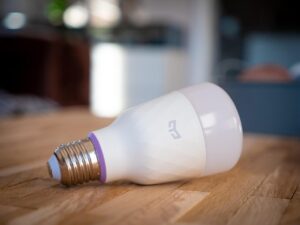
Lighting is one of the easiest places to start, but it is also easy to overspend. In many homes, replacing old bulbs with efficient LEDs gives the biggest improvement. Smart lighting becomes more useful when it solves a behavior problem, such as lights being left on in hallways, bathrooms, closets, garages, or outdoor areas.
For rooms where people stay for long periods, smart switches may be better than smart bulbs. A smart switch keeps normal wall control and can manage multiple bulbs at once. For lamps, rented homes, or rooms where wiring changes are not ideal, smart bulbs and smart plugs may be simpler.
Motion sensors are especially useful in places where people pass through briefly. However, avoid aggressive automation in bedrooms, living rooms, or work areas where lights turning off unexpectedly can become frustrating. A good smart home saves energy without making the home feel difficult to use.
Control Plug Loads and Standby Power
Plug loads are the devices connected to outlets: TVs, game consoles, computers, printers, speakers, chargers, coffee makers, and many other electronics. Some continue using energy even when they appear to be off. Smart plugs and smart power strips can help you schedule or cut power to devices that do not need to stay active.
The practical approach is to start with devices that are easy to control. A lamp, fan, charger station, or entertainment center is usually a good candidate. A refrigerator, medical device, router, security system, or anything that must stay on should not be connected to an automation that may accidentally shut it down.
Power monitoring plugs can also reveal which devices use more electricity than expected. This is useful before replacing appliances or changing habits. Sometimes the solution is not buying a new device, but changing when and how an existing device runs.
- Use smart plugs only within the electrical rating listed by the manufacturer.
- Do not automate power-off rules for essential devices.
- Label smart plugs clearly in the app to avoid confusion.
- Use schedules for chargers, lamps, office equipment, and entertainment systems.
- Review automations after power outages or app updates.
Add Sensors That Make Automation More Accurate
Sensors are what make a smart home feel intelligent instead of manually controlled from an app. Motion sensors, contact sensors, temperature sensors, humidity sensors, and occupancy sensors can help the home respond to what is actually happening.
For energy efficiency, temperature and occupancy sensors are especially useful. A thermostat located in a hallway may not reflect the temperature in a bedroom or office. Room sensors can help some systems adjust more accurately. Contact sensors can also alert you if a window or door is open while heating or cooling is running.
Humidity sensors can help in bathrooms, basements, and laundry areas. Instead of running a fan for too long or forgetting it entirely, automation can turn ventilation on when humidity rises and turn it off when conditions improve. This saves energy while also helping with moisture control.
Track Energy Use Instead of Guessing
A smart home becomes more useful when you can see what changed. Energy monitoring can come from a utility smart meter app, a whole-home energy monitor, smart plugs with energy tracking, or appliance dashboards. The right option depends on your budget and how much detail you need.
For beginners, utility dashboards and smart plugs with energy monitoring are often enough. They can show daily or monthly usage trends and help identify devices that run longer than expected. Whole-home monitors can provide deeper insight, but they may cost more and sometimes require installation inside the electrical panel.
Do not judge results too quickly. Weather, guests, remote work, seasonal habits, and utility pricing can change bills. Track energy use across several weeks or billing cycles and compare similar periods whenever possible.
Common Mistakes to Avoid
One common mistake is buying devices before understanding the problem. A home full of smart gadgets is not automatically efficient. If the air conditioner runs constantly because of poor insulation, smart controls may help a little, but sealing air leaks or improving insulation may matter more.
Another mistake is creating too many automations at once. When several rules control the same device, it becomes difficult to know why something turned on or off. Start with a few high-value automations, test them, and expand slowly.
Security is also part of a reliable smart home. Use strong passwords, enable multi-factor authentication when available, keep device firmware updated, and avoid connecting unknown low-quality devices to your main network. Energy efficiency should not come at the cost of privacy or safety.
| Mistake | Why It Hurts Efficiency | Better Approach |
|---|---|---|
| Buying devices without a plan | Money goes to convenience instead of real energy savings | Start with bills, habits, and the biggest energy users |
| Using smart bulbs everywhere | Costs can rise quickly, especially in rooms with many bulbs | Use smart switches or sensors where they make more sense |
| Ignoring HVAC compatibility | A thermostat may not work correctly or may need extra wiring | Check compatibility before purchase |
| Automating essential devices | Important equipment may shut off accidentally | Keep critical devices outside power-off routines |
| Never reviewing automations | Old routines may waste energy after schedule changes | Review settings seasonally |
When to Call a Professional
Some smart home upgrades are simple, but others should not be treated as casual DIY work. Call a qualified professional if an installation involves your electrical panel, HVAC wiring you do not understand, line-voltage switches, smart breakers, solar integration, battery storage, EV chargers, or water heater controls.
You should also seek help if a device repeatedly loses power, causes lights to flicker, makes your HVAC system behave strangely, or requires bypassing safety instructions. A smart device should make the home easier to manage, not create electrical or mechanical risks.
For larger projects, it may be worth combining smart home planning with weatherization, insulation, efficient appliances, or renewable energy. Smart controls work best when the home itself is already reasonably efficient.
Conclusion
Learning how to build an energy-efficient smart home step by step starts with a simple idea: fix waste before adding complexity. Review your energy use, choose compatible devices, focus on heating, cooling, lighting, plug loads, and sensors, then monitor the results over time.
The smartest upgrade is not always the most expensive one. A well-configured thermostat, LED lighting, a few smart plugs, and practical automations can often do more than a large collection of disconnected gadgets.
For the best result, build slowly, test each change, and use official guidance when dealing with electrical systems, HVAC equipment, or energy-saving claims. A smart home should feel comfortable, reliable, and easier to control while helping you use energy more wisely.
FAQ
1. What should I buy first for an energy-efficient smart home?
Start with the area that wastes the most energy. For many homes, that means a compatible smart thermostat, LED lighting, or smart plugs for devices that stay on unnecessarily. Before buying, check your energy bills and daily habits so the first purchase solves a real problem.
2. Do smart homes always save money on energy bills?
No. Smart devices can help reduce waste, but savings depend on how they are installed, configured, and used. A smart thermostat with poor settings or smart lights left on all day will not deliver good results. The biggest improvements usually come from combining smart controls with efficient equipment and better habits.
3. Are smart plugs safe for all appliances?
No. Smart plugs have electrical limits, and not every appliance should be connected to one. Avoid using basic smart plugs with high-power appliances unless the plug is specifically rated for that load. Essential devices, such as refrigerators, medical equipment, routers, and security systems, should not be placed on risky shutoff schedules.
4. How often should I review my smart home energy settings?
Review your settings at least once per season. Heating, cooling, lighting needs, work routines, and family schedules can change throughout the year. A routine that saved energy in winter may not make sense in summer, so small adjustments help keep the system efficient.
Official References
- U.S. Department of Energy — Energy Saver
- U.S. Department of Energy — Professional Home Energy Assessments
- U.S. Department of Energy — LED Lighting
- ENERGY STAR — Smart Thermostats
- ENERGY STAR — Smart Home Energy Management Systems
The Connected Home Shield Editorial Team publishes practical, beginner-friendly content about smart home devices, home network security, IoT setup, automation, energy efficiency, privacy, and connected-home troubleshooting. Our guides are prepared for general educational purposes, with a focus on clear instructions, safer configurations, realistic expectations, and accessible information for users with different levels of technical experience.