Best IoT Devices for Making Your Home More Efficient

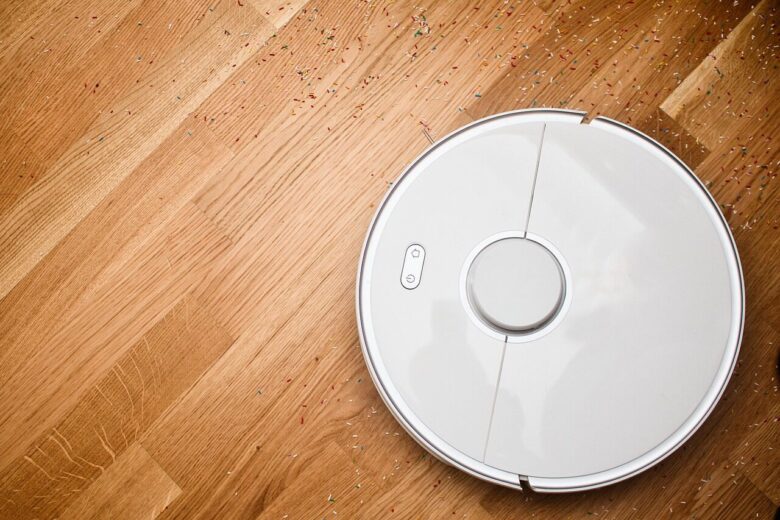
vacuum cleaner, dust, cleaning, robot, technology, autonomous, remotely controlled

The best IoT devices for making your home more efficient are the ones that reduce waste without adding daily complexity. A smart home should not feel like another job. It should help you use less energy, avoid unnecessary heating or cooling, control appliances more intelligently, and understand where your home is losing efficiency.

For most people, the biggest gains usually come from devices that manage heating, cooling, lighting, plugs, water use, and basic monitoring. A smart speaker or display can be convenient, but it is not automatically an efficiency upgrade unless it helps coordinate useful routines. The real value comes from choosing devices that solve a specific problem in your home.

Before buying anything, it helps to think less about “smart gadgets” and more about daily patterns. Do lights stay on in empty rooms? Does the air conditioner run when nobody is home? Are appliances plugged in all day? Do you only notice water leaks after damage has already happened? These are the situations where IoT devices can make a practical difference.

Important note: IoT devices connect to your home network and may collect usage data. Before installing them, choose reputable brands, change default passwords, keep firmware updated, and avoid sharing personal or Wi-Fi information with unknown apps or unofficial setup pages.

Best IoT Devices for Making Your Home More Efficient

The most useful smart home devices are not always the most expensive ones. In many homes, a small group of well-chosen devices can deliver better results than a house full of disconnected gadgets. The goal is to automate wasteful habits, not to buy every new device available.

A smart thermostat is often one of the strongest starting points because heating and cooling can represent a large part of household energy use. ENERGY STAR explains that certified smart thermostats are independently certified based on field data to deliver energy savings, and common features include scheduling, remote control, geofencing, and usage insights.

Smart plugs are another practical option because they help control lamps, fans, coffee makers, chargers, and small appliances. They are especially useful for devices that do not need to stay powered all day. In practice, they work best when paired with simple schedules, such as turning off entertainment devices overnight or cutting power to a desk setup after work hours.

Device Best Use Main Caution
Smart thermostat Reducing unnecessary heating and cooling Check compatibility with your HVAC system before buying
Smart plugs Controlling lamps, chargers, fans, and small appliances Do not exceed the plug’s electrical load rating
Smart lighting Turning lights off automatically and adjusting brightness Choose the right bulb type, socket, and ecosystem
Smart power strips Managing multiple electronics in one area Avoid using them with high-power appliances unless approved
Water leak sensors Detecting leaks before they become expensive damage Place them near real risk areas, not randomly
Smart irrigation controllers Reducing outdoor water waste Local watering rules and plant needs still matter

Smart Thermostats: The First Upgrade for Many Homes

A smart thermostat can adjust your heating and cooling based on schedules, occupancy, location, and temperature patterns. This matters because many homes waste energy by conditioning rooms when nobody is there or by keeping the same temperature all day and night.

Before buying one, confirm whether your system supports the model you want. Some homes need a common wire, often called a C-wire, while others may need an adapter or professional installation. A common mistake is buying a thermostat based only on app features and discovering later that it does not work properly with the home’s heating or cooling equipment.

For better results, avoid extreme temperature changes. A smart thermostat is most efficient when it follows a realistic schedule that matches your routine. If the temperature settings are uncomfortable, people usually override them, and the automation stops helping.

Smart Lighting That Saves Energy Without Making Life Annoying

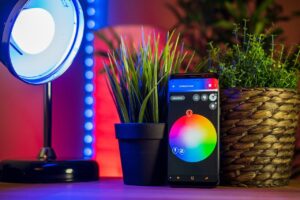
Smart lighting can improve efficiency by turning lights off automatically, dimming brightness when full power is not needed, and creating schedules for common routines. This is useful in hallways, bedrooms, offices, kitchens, garages, and outdoor areas where lights are often forgotten.

For beginners, smart bulbs are usually easier to install than smart switches. However, smart switches may be better for rooms with multiple bulbs controlled by the same wall switch. The right choice depends on how the room is wired and how people actually use the lights.

A practical setup is to combine motion sensors with lights in areas where people pass through briefly. For example, a hallway light can turn on at low brightness at night and turn off automatically after a short period. That saves energy while also making the home more comfortable.

Smart Plugs and Power Strips for Everyday Waste

Smart plugs are simple, affordable, and flexible. They are useful when you want to control a device that does not already have smart features. Lamps, fans, humidifiers, coffee makers, and some entertainment devices can be managed with schedules or voice commands.

The main safety rule is to respect the power rating. A smart plug is not the right device for every appliance. High-power equipment, heaters, air conditioners, refrigerators, and heavy kitchen appliances may require specific smart outlets or should be left on standard dedicated circuits unless the manufacturer clearly supports that use.

Smart power strips can help in offices and TV areas where several devices stay plugged in together. A useful routine is turning off a whole workstation at night, including monitor, speakers, desk lamp, and chargers. The efficiency gain comes from consistency: small wasted power repeated every day can become noticeable over time.

Water Leak Sensors and Smart Irrigation Controllers

Efficiency is not only about electricity. Water waste can also be expensive, especially when leaks are hidden behind appliances, under sinks, near water heaters, or close to washing machines. Water leak sensors are small devices that alert you when moisture is detected in places where water should not be.

These sensors are most useful in high-risk areas. Placing one in the middle of a dry hallway does very little. Better locations include under the kitchen sink, behind the washing machine, near the water heater, close to the dishwasher, and beside basement pipes.

For homes with gardens, smart irrigation controllers can adjust watering schedules based on weather, soil needs, and local conditions. The key is to use them as a management tool, not as a set-and-forget device. Plants, climate, seasons, and local watering restrictions still need attention.

Home Energy Monitors and Smart Meters

Home energy monitors help you understand how electricity is being used. Some devices track whole-home consumption, while others monitor specific outlets or circuits. This can be useful when the energy bill is high but the cause is not obvious.

The biggest advantage is visibility. Instead of guessing which device is using too much power, you can look for patterns. For example, you may notice that a second refrigerator, old dehumidifier, gaming setup, or constantly running appliance is consuming more energy than expected.

Not every home needs a whole-home energy monitor. If your goal is basic automation, smart plugs with energy tracking may be enough. If your goal is detailed diagnosis, especially in a larger home, a more advanced monitor may be worth considering.

How to Choose the Right IoT Devices Step by Step

The best setup starts with the problem you want to solve. Buying devices first and planning later often leads to unused apps, disconnected ecosystems, and automations that feel clever for one week and annoying after that.

  1. Identify your biggest waste points.

    Look for repeated habits: lights left on, cooling running in empty rooms, devices plugged in all night, or water risks that are easy to miss. Start with the problem that happens most often.

  2. Choose one ecosystem when possible.

    Using too many apps can make your home harder to manage. Before buying, check whether the device works with your phone, router, voice assistant, or smart home platform.

  3. Check compatibility and installation needs.

    Thermostats, switches, cameras, sensors, and irrigation controllers may have wiring, Wi-Fi, voltage, or placement requirements. Confirm these details before spending money.

  4. Start with simple automations.

    A good first routine is turning off lights and plugs at night or adjusting the thermostat when everyone leaves home. Avoid complex routines until the basics work reliably.

  5. Review privacy and security settings.

    Change default passwords, enable two-factor authentication when available, update device firmware, and remove old devices from your network when you stop using them.

Common Mistakes When Building an Efficient Smart Home

One common mistake is buying devices because they are popular, not because they solve a real problem. A smart bulb in a rarely used room may not matter much, while a thermostat or leak sensor may have a much bigger practical impact.

Another mistake is ignoring Wi-Fi quality. IoT devices depend on stable connectivity. If your router is old, poorly positioned, or overloaded, smart devices may disconnect, respond slowly, or fail to run automations at the right time.

Security is also part of efficiency. A home full of outdated connected devices can become harder to maintain and riskier to use. The FTC recommends securing the router, changing default settings, enabling encryption, checking for updates, and protecting each connected device with strong credentials and security features.

  • Buy devices that solve a specific daily problem.
  • Check compatibility before purchasing thermostats, switches, and controllers.
  • Use strong, unique passwords for device accounts.
  • Keep apps and firmware updated.
  • Place sensors where they can actually detect a problem.
  • Avoid high-power appliances on smart plugs unless the device is rated for that use.
  • Remove old or unused IoT devices from your network.

When Professional Help Is Worth It

Many IoT devices are simple to install, but some upgrades should be handled carefully. Smart thermostats, smart switches, irrigation controllers, electrical panels, and advanced energy monitors may involve wiring, voltage, HVAC compatibility, or local electrical rules.

If you are unsure about wiring, do not guess. A poorly installed switch or thermostat can damage equipment or create safety risks. Professional help is especially useful if your home has older wiring, no neutral wire, a complex HVAC system, or devices connected to high-load circuits.

Support from the device manufacturer can also be useful before installation. A quick compatibility check may prevent returns, wasted time, or a device that works only partially.

Conclusion

The best IoT devices for making your home more efficient are the ones that reduce real waste: smart thermostats for heating and cooling, smart plugs and power strips for everyday electronics, smart lighting for forgotten rooms, water leak sensors for early alerts, and energy monitors for better visibility.

Start small, choose reliable devices, and build around your daily habits. A simple setup that works every day is better than a complicated smart home that needs constant fixing.

Before expanding your system, review compatibility, security settings, and installation requirements. Efficiency improves when the technology is useful, safe, and easy enough to keep using.

FAQ

1. What is the best first IoT device for home efficiency?

For many homes, a smart thermostat is the best first upgrade because heating and cooling often have a major impact on energy use. If your home does not use central heating or cooling, smart plugs, smart lighting, or energy-monitoring plugs may be a better starting point.

2. Do smart plugs really save energy?

Smart plugs can save energy when they control devices that would otherwise stay on or plugged in unnecessarily. They work best with lamps, fans, chargers, office equipment, and entertainment areas. They are less useful if you only use them with devices that already consume almost no standby power.

3. Are IoT devices safe for home networks?

They can be safe when configured properly. Use trusted brands, change default passwords, enable two-factor authentication when available, keep firmware updated, and secure your router. Avoid installing unknown apps or connecting devices that no longer receive updates.

4. Should I buy many smart devices at once?

It is usually better to start with one or two devices and test how they fit your routine. Once the basic automations work well, you can expand gradually. This avoids unnecessary spending and makes the smart home easier to manage.

Official References