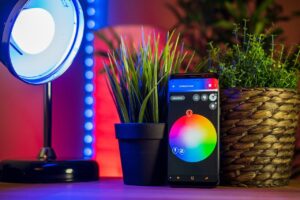
The Matter protocol was created to make smart home devices work across different ecosystems with less confusion. In simple terms, it is a smart home standard that helps certified devices communicate with platforms such as Apple Home, Google Home, Amazon Alexa, Samsung SmartThings and other Matter-compatible systems.
The promise is attractive: buy one certified device, scan a setup code, and control it from the app or voice assistant you already use. For people tired of asking whether a smart bulb works only with one brand, Matter can reduce a lot of guesswork.
Still, Matter is not magic. It does not automatically make every feature available everywhere, it does not replace Wi-Fi or Thread, and it does not mean older smart home devices become compatible without help. The real experience depends on the device, the controller, the app, the network and the version of Matter supported by each ecosystem.
This guide explains what Matter already does well, where it still disappoints, and how to decide whether upgrading your smart home now actually makes sense.
Important note: before buying new smart home devices, check the official compatibility page from the manufacturer and the ecosystem you use. Matter support can vary by model, region, firmware version and device category.
How the Matter Protocol Works in Plain English
Matter is an application layer for smart home devices. That means it defines how devices describe themselves, connect securely and respond to commands. It is not the same thing as Wi-Fi, Bluetooth or Thread. Instead, Matter runs over network technologies such as Wi-Fi, Ethernet and Thread.
A simple example helps: if a smart plug supports Matter over Wi-Fi, it connects to your home Wi-Fi network and then communicates with your Matter controller. If a sensor supports Matter over Thread, it needs a Thread border router to connect that low-power Thread network to the rest of your home network.
The controller is the system that manages the device. This could be an Apple TV 4K or HomePod for Apple Home, a Google Nest hub or speaker, an Amazon Echo or eero device, a SmartThings hub, or another compatible controller. The controller is what lets your phone app, automations and voice assistant talk to the Matter device.
In practice, the point of Matter is not to remove every hub from the home. The point is to create a common language so devices and ecosystems can work together more predictably.
What Works Well With Matter Today
Matter already works best with simpler smart home products. Lights, plugs, switches, some sensors, thermostats, locks and similar devices are usually the easiest categories to understand. When the device, controller and app are all properly updated, setup can be much smoother than older brand-specific integrations.
One of the most useful features is multi-admin control. This allows a Matter device to be shared with more than one ecosystem. For example, a light may be added to Apple Home and then shared with Google Home, so people in the same house can use different phones or assistants without buying separate versions of the same product.
Matter also helps with local control. Because it is IP-based, many commands can happen inside the home network instead of depending only on a cloud server. This can improve response time and reliability, although some devices still use their brand app or cloud services for updates, advanced settings or special features.
| What usually works well | Why it helps | What to check first |
|---|---|---|
| Smart plugs and basic switches | They use simple on/off controls that are easier to standardize. | Confirm Matter certification and whether the device uses Wi-Fi or Thread. |
| Smart lights | Basic brightness, color and on/off controls are widely supported. | Check whether advanced effects require the brand app. |
| Thread sensors | Thread is useful for low-power devices such as motion, contact and temperature sensors. | Make sure you already have a compatible Thread border router. |
| Multi-ecosystem sharing | A device can often be controlled from more than one smart home platform. | Verify that both ecosystems support the same device type and features. |
What Still Does Not Work Perfectly
The biggest limitation is feature mismatch. A device can be Matter-certified and still expose only basic controls in one ecosystem while offering more features in its own app. A smart light may support special scenes, animations or adaptive effects through the manufacturer app, but only show standard brightness and color controls in another platform.
Another common frustration is Thread setup. Thread can be excellent for battery-powered devices, but users often discover too late that a Thread border router is required. Apple, Amazon, Google and Samsung all have products that can work as Matter controllers or Thread border routers, but not every speaker, display, TV or router supports the same role.
Camera support is also a careful topic. Matter 1.5 added support for cameras and related features, and Matter 1.6 continued improving setup and multi-ecosystem experiences. However, a new version of the standard does not mean every platform, camera or app supports those features immediately. Device makers and ecosystem platforms still need to implement them.
In many homes, the user experience is better than before but still not perfectly universal. Setup codes fail, firmware updates matter, some ecosystems lag behind the newest Matter version, and advanced features may remain locked to the original app.
Matter, Thread, Wi-Fi and Bridges: The Confusing Part Explained
The most confusing part of Matter is that people often treat it like a wireless technology. It is not. Matter is the language. Wi-Fi, Ethernet and Thread are the roads that carry the messages.
Wi-Fi is common for powered devices such as plugs, bulbs, appliances and some controllers. It is familiar, but too many Wi-Fi smart devices can crowd a weak router. Thread is designed for low-power mesh networking, which makes it a strong fit for sensors, locks and battery devices. Ethernet is often used by hubs, bridges and controllers because it is stable.
A Matter bridge is different from a Thread border router. A bridge helps bring older or non-Matter devices into a Matter ecosystem. For example, a brand may use a bridge to expose Zigbee lights or proprietary devices to Matter. A Thread border router connects a Thread network to your home network so Thread devices can communicate with Matter controllers.
| Term | What it means | Simple example |
|---|---|---|
| Matter controller | The system that manages Matter devices. | Apple Home hub, Google Nest hub, Amazon Echo, SmartThings hub. |
| Thread border router | A device that connects Thread accessories to the local network. | Some Apple TV, HomePod, Echo, eero, Nest and SmartThings devices. |
| Matter bridge | A gateway that exposes older devices to Matter. | A hub that brings existing Zigbee accessories into a Matter setup. |
| Matter over Wi-Fi | A Matter device that uses Wi-Fi for network connection. | A smart plug connected directly to your router. |
| Matter over Thread | A Matter device that uses Thread for low-power mesh networking. | A contact sensor connected through a Thread border router. |
Should You Upgrade to Matter Now?
You should upgrade to Matter now if you are buying new smart home devices and want more flexibility between ecosystems. For a new smart plug, bulb, switch or sensor, choosing a Matter-certified model can be a practical way to avoid being locked into one platform.
You do not need to replace everything immediately. If your current Zigbee, Z-Wave, Wi-Fi or brand-specific setup works reliably, a full replacement may waste money. In many cases, the smarter path is to keep stable devices and choose Matter only when buying new accessories or replacing old ones.
The best upgrade decision depends on your current setup. A home that already uses Apple Home with a Thread-enabled home hub may benefit from Matter over Thread sensors. A home with only a basic Wi-Fi router and no smart hub may be better served by Matter over Wi-Fi devices at first.
- Check whether you already have a Matter controller.
- Check whether you need a Thread border router for the devices you want.
- Choose Matter-certified products, not just products that mention future compatibility.
- Read the manufacturer page to see which features work through Matter.
- Avoid replacing reliable older devices unless there is a real problem to solve.
- Update your phone, smart home app, hub and device firmware before judging performance.
A Practical Upgrade Path for Beginners
The safest way to adopt Matter is to start small. Do not rebuild your whole smart home in one weekend. Test one or two devices first, especially if your home already has automations that other people depend on every day.
-
Identify your main ecosystem.
Choose the platform you actually use most, such as Apple Home, Google Home, Alexa or SmartThings. Matter can support multiple ecosystems, but setup is easier when you know which one will be your main controller.
-
Confirm your controller situation.
Check whether you have a Matter controller and, if you want Thread devices, a Thread border router. A common mistake is buying Matter over Thread sensors without having the required Thread infrastructure.
-
Start with a simple device.
Begin with a plug, bulb or switch instead of a complex device. Simple devices make it easier to test pairing, app control, voice commands and automations without too many variables.
-
Test the features you actually need.
Do not only check whether the device turns on. Test schedules, automations, sharing with another ecosystem and recovery after power loss. These details show whether the device fits your daily routine.
-
Keep the manufacturer app installed.
Even when Matter control works, the brand app may still be needed for firmware updates, advanced settings, calibration or troubleshooting. Removing it too early can make support harder.
-
Expand gradually.
After the first devices work reliably, add more by category. This makes it easier to spot whether a problem comes from one device, one platform, the router or the Thread network.
Common Mistakes That Make Matter Feel Worse Than It Is
A common mistake is assuming the Matter logo guarantees every advertised feature across every app. Matter improves compatibility, but it does not force every platform to expose every manufacturer-specific function. Basic control may work while special modes remain in the original app.
Another mistake is mixing too many ecosystems too quickly. Multi-admin is useful, but adding the same device to several platforms can create confusion when automations overlap. For example, one app may turn a light off while another automation turns it back on a minute later.
Network quality also matters. A weak router, crowded Wi-Fi, poor hub placement or unstable Thread mesh can make Matter look unreliable even when the device itself is fine. In practice, many setup failures come from network conditions, outdated firmware or missing border router support.
| Mistake | What can happen | Better approach |
|---|---|---|
| Buying Thread devices without a Thread border router | The device may not pair or may show a border router warning. | Confirm border router support before buying. |
| Expecting full feature parity | Advanced settings may only appear in the brand app. | Check which features are exposed through Matter. |
| Replacing stable devices too soon | You may spend money without improving reliability. | Upgrade gradually when a device fails or a new feature is needed. |
| Ignoring firmware updates | Pairing and stability issues may continue. | Update hubs, apps and devices before troubleshooting deeply. |
When Matter Is Worth It and When It Is Better to Wait
Matter is worth it now if you are starting a new smart home, buying basic devices, or trying to avoid dependence on one ecosystem. It is also useful for households where one person uses an iPhone, another uses Android, and both want access to the same lights, switches or sensors.
It may be better to wait if your priority is advanced camera features, complex security systems, highly customized automations or full control of every manufacturer-specific function. The standard is moving quickly, but the real-world experience still depends on platform updates and device support.
A practical rule is simple: buy Matter for new simple devices, keep working legacy devices, and avoid paying extra only for a promise of future support. If the box, support page or certification listing does not clearly say what works today, treat the product carefully.
When to Contact Support or Check Official Sources
You should check official support pages when a device refuses to pair, shows a Thread border router warning, disappears after setup, or behaves differently across apps. These problems often depend on model-specific firmware, platform version or regional availability.
Contact the device manufacturer if the accessory pairs in its own app but not through Matter. Contact the ecosystem support page if the problem appears only in Apple Home, Google Home, Alexa or SmartThings. If the issue involves Thread, check whether your border router and phone are on compatible networks and updated.
For expensive products such as locks, security devices, cameras or appliances, confirm compatibility before purchase. These categories can involve more risk, more setup steps and more feature differences than a simple plug or bulb.
Conclusion
The Matter protocol is a real improvement for smart homes, especially for simple devices and people who want more freedom between ecosystems. It makes setup and control more standardized, supports local communication, and gives manufacturers a clearer path to broad compatibility.
At the same time, Matter is still not a perfect plug-and-play solution for every device category. Thread requirements, platform differences, firmware updates and missing advanced features can still create confusion. The best strategy is to upgrade slowly, start with simple Matter-certified products, and check official compatibility before spending money.
If your current smart home works well, there is no need to replace everything at once. If you are buying new devices, Matter is increasingly worth choosing, as long as you understand what it can do today and what still depends on future updates.
FAQ
1. Does Matter replace Wi-Fi or Thread?
No. Matter does not replace Wi-Fi or Thread. Matter is the smart home communication standard, while Wi-Fi and Thread are network technologies that carry the connection. A device can be Matter over Wi-Fi, Matter over Thread or use Ethernet depending on its design.
2. Do I need a hub for Matter?
You need a Matter controller, which may be built into a speaker, display, TV, router or hub. If the device uses Matter over Thread, you also need a Thread border router. Some products combine these roles, but not every smart speaker or hub supports both.
3. Will Matter make old smart home devices compatible?
Not automatically. Older devices may work with Matter only if the manufacturer provides a firmware update or a Matter bridge. If a product has no official Matter support and no compatible bridge, the Matter standard alone will not make it appear in other ecosystems.
4. Is Matter safe for smart home devices?
Matter was designed with secure commissioning and encrypted communication, but safety still depends on good setup habits. Keep your router, phone, hubs and smart devices updated. Also avoid buying devices from unclear brands that do not provide reliable support pages or firmware updates.
Official References
- Connectivity Standards Alliance — Matter smart home device solution
- Connectivity Standards Alliance — Matter 1.6 announcement
- Connectivity Standards Alliance — Matter 1.5 announcement
- Google Home Developers — What is Matter?
- Amazon Developer — Connect your device to Alexa with Matter
The Connected Home Shield Editorial Team publishes practical, beginner-friendly content about smart home devices, home network security, IoT setup, automation, energy efficiency, privacy, and connected-home troubleshooting. Our guides are prepared for general educational purposes, with a focus on clear instructions, safer configurations, realistic expectations, and accessible information for users with different levels of technical experience.