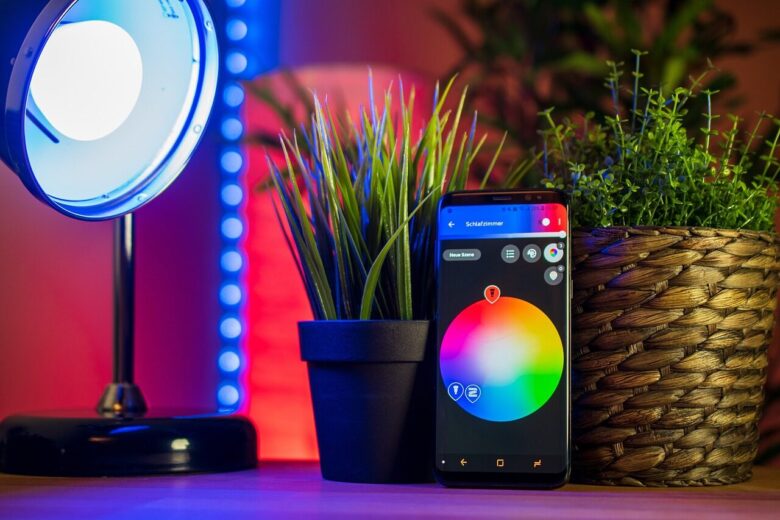
A local-only smart home is built to keep daily automations, device control, and most household data inside your own network instead of depending on remote cloud servers. For many people, the goal is simple: lights should still turn on, sensors should still react, and routines should still work even if the internet is down.
This does not mean every device must be disconnected from the internet forever. It means the core of the system should run locally, with cloud services treated as optional extras instead of the foundation. That difference matters because many smart homes become frustrating when a brand changes its app, shuts down a server, removes a feature, or requires a subscription for something that used to be free.
Building this kind of setup takes a little more planning than buying random Wi-Fi gadgets, but it can be much more stable in the long run. The main decision is not only which devices to buy, but which platform, protocols, and network layout will let your home keep working without constant outside communication.
Important note: a local-only smart home can improve privacy and reliability, but it still needs secure passwords, firmware updates, careful network settings, and safe installation practices. For electrical devices, locks, alarms, heating systems, or anything connected to mains power, follow the manufacturer’s instructions and call a qualified professional when needed.
What a Local-Only Smart Home Really Means
A local-only smart home is a setup where commands and automations are processed inside your home network. If a motion sensor detects movement, the signal goes to a local hub or controller, and that controller turns on the light without needing to ask a remote server for permission.
This is different from many basic cloud-based systems. In a cloud-dependent setup, pressing a button in an app may send a command to the manufacturer’s servers first, then back to your device. That can work well when everything is online, but it creates weak points: internet outages, server problems, company policy changes, and account issues.
In practice, the best local-first smart homes usually combine three layers: a local automation platform, local-friendly communication protocols, and a reliable home network. The platform is the “brain,” the protocols are how devices talk, and the network is the road they use to communicate.
| Layer | Purpose | Local-Only Priority |
|---|---|---|
| Automation platform | Runs rules, dashboards, scenes, and device logic | Choose software that runs on your own hardware |
| Device protocol | Connects sensors, switches, lights, plugs, and other devices | Prefer protocols with local control support |
| Network setup | Keeps devices connected and separated when needed | Use strong Wi-Fi, segmentation, and secure router settings |
| Remote access | Lets you control the home when away | Make it optional, encrypted, and limited |
Choose the Right Local Hub or Automation Platform
The easiest way to avoid cloud dependency is to make sure your automation brain runs at home. A common local-first option is Home Assistant, an open-source platform designed around local control and privacy. It can run on dedicated hardware, a small computer, a mini PC, or a server you already own.
The advantage of a local controller is that automations can continue even when the internet is unavailable. For example, a hallway motion sensor can still turn on a light at night, a water leak sensor can still trigger a siren, and a button by the bed can still switch off several devices at once.
Before choosing hardware, think about how large your setup may become. A small apartment with lights and plugs can run on modest hardware. A larger home with cameras, voice control, dashboards, energy monitoring, and many automations may need a more powerful mini PC or dedicated server.
- Choose a platform that can run automations locally.
- Check whether your preferred devices have local integrations.
- Use reliable hardware with enough storage and memory.
- Plan backups before adding dozens of devices.
- Avoid depending on one manufacturer’s app as the only control method.
Pick Devices That Support Local Control
The biggest mistake beginners make is buying devices first and planning the system later. A cheap Wi-Fi bulb may look attractive, but if it only works through a manufacturer’s cloud app, it can become the weakest part of a local-only smart home.
Look for devices that clearly support local protocols or documented local integrations. Zigbee, Z-Wave, Thread, Matter, Ethernet, and some locally controlled Wi-Fi devices can work well, depending on the platform and hardware you choose. The important point is not the logo on the box alone, but whether your controller can operate the device without sending every command through the cloud.
Matter can help with interoperability because it is an IP-based smart home standard supported by many companies. Thread can also be useful for low-power smart home devices because it creates a mesh network designed for connected home products. Still, no label guarantees that every feature will work locally exactly the way you expect, so it is worth checking real platform compatibility before buying.
| Device Type | Good Local-First Choice | What to Check Before Buying |
|---|---|---|
| Lights and switches | Zigbee, Z-Wave, Matter, or local Wi-Fi | Confirm dimming, color, and switch behavior work locally |
| Motion and contact sensors | Zigbee, Z-Wave, or Thread | Check battery life, range, and update frequency |
| Smart plugs | Local Wi-Fi, Zigbee, Z-Wave, or Matter | Verify power rating and energy monitoring support |
| Cameras | RTSP, ONVIF, or local NVR-compatible models | Avoid cameras that require cloud viewing for basic use |
| Locks and alarms | Local protocol with strong security support | Review safety, fallback access, and professional installation needs |
How to Build a Local-Only Smart Home Step by Step
A local-only smart home becomes easier when you build it in stages. Starting small helps you avoid buying incompatible devices, overloading your Wi-Fi, or creating automations that are difficult to troubleshoot later.
-
Choose the local controller first.
Pick the platform and hardware before buying many devices. This gives you a compatibility filter and prevents you from building around a cloud app that may not support local automation later.
-
Decide which protocols you will use.
For many homes, a mix of Zigbee, Z-Wave, Thread, Matter, Ethernet, and selected local Wi-Fi devices works better than using Wi-Fi gadgets for everything. The goal is stable communication, not collecting as many protocols as possible.
-
Start with simple automations.
Begin with lights, plugs, contact sensors, or motion sensors. These are easy to test and help you learn how local automations behave before you connect more sensitive systems.
-
Create a separate network for smart devices.
If your router supports it, place IoT devices on a separate VLAN or guest network. This limits what those devices can access and makes the setup safer if one device has weak security.
-
Test internet-off behavior.
Disconnect the internet temporarily and check what still works. Lights, sensors, switches, and local dashboards should continue operating if the setup is truly local-first.
-
Document your system.
Keep a simple list of devices, rooms, protocols, batteries, automations, and backup locations. This saves time when something stops responding months later.
-
Add remote access only after the local system is stable.
Remote access is useful, but it should not be the foundation. Use secure methods and avoid exposing dashboards or controllers directly to the internet without understanding the risks.
Design the Network for Privacy and Reliability
A local-only smart home still depends on your home network. If the router is unstable, Wi-Fi coverage is weak, or devices are all crowded on the same band, local control can feel unreliable even when the platform is good.
Use Ethernet for the main controller whenever possible. A wired connection is usually more stable than Wi-Fi for the device that runs automations. For wireless smart devices, place hubs or coordinators carefully, away from interference and not hidden behind metal objects or thick walls.
For Wi-Fi IoT devices, avoid putting everything on the same network as your personal laptop, phone, and storage devices. A separate IoT network helps reduce risk. It also makes troubleshooting easier because you can see which devices are connected and control what they are allowed to reach.
- Use a strong router admin password and update router firmware.
- Disable remote router administration unless you truly need it.
- Use WPA2 or WPA3 encryption for Wi-Fi networks.
- Separate IoT devices from personal computers when your router supports it.
- Keep the local controller on a stable wired connection if possible.
- Back up the automation platform before major updates.
Common Mistakes That Create Hidden Cloud Dependency
Many people think they have a local smart home because devices work inside the house, but the real test is what happens when the internet is disconnected. If lights, switches, routines, or sensors stop working immediately, some part of the system is still depending on external servers.
Another common mistake is assuming every Matter, Wi-Fi, or “hub compatible” device is fully local in every situation. Some devices support local control for basic commands but still need the cloud for setup, updates, advanced scenes, camera storage, notifications, or voice features.
A third mistake is ignoring account dependency. If a device requires an online account to activate, reset, pair, or recover, it may still be usable locally after setup, but the manufacturer remains part of the lifecycle. That does not make the device useless, but it should be understood before you rely on it for important routines.
| Mistake | Why It Matters | Better Approach |
|---|---|---|
| Buying devices before choosing a platform | You may end up with cloud-only products | Check local compatibility first |
| Using only Wi-Fi devices | Large setups can overload weak routers | Use mesh protocols for sensors and switches when useful |
| Skipping backups | A failed SD card or update can break the whole setup | Schedule automatic backups and test restoration |
| Exposing the dashboard to the internet | It can create a serious security risk | Use secure remote access methods |
| Trusting marketing claims only | “Smart” does not always mean locally controllable | Read platform documentation and user reports before buying |
Where Cloud Services May Still Make Sense
A local-only smart home does not have to be extreme. Some cloud features may still be useful when they are optional and do not control the core functions of the house. For example, remote notifications, voice assistants, weather services, and cloud backups can be convenient if the home still works without them.
The practical approach is to separate essential actions from convenience features. Turning on lights, detecting leaks, running schedules, controlling switches, and operating basic scenes should work locally. Checking the home while traveling, syncing voice commands, or receiving mobile alerts can use the cloud if you accept the trade-off.
This mindset also helps with spending. Instead of paying for subscriptions just to keep basic automations alive, you can reserve paid services for features that genuinely need remote infrastructure, such as external access, advanced camera storage, or voice processing outside the home.
When to Get Professional Help
Some smart home projects are safe for careful beginners, such as adding battery sensors, smart plugs within their rated limits, or local dashboards. Other projects need more caution. Anything involving mains wiring, electrical panels, HVAC systems, door locks, garage doors, security alarms, or water shutoff valves can affect safety, insurance, or property damage risk.
Get professional help if you are replacing wall switches without understanding neutral wires, wiring relays behind fixtures, connecting smart controls to heating systems, or automating access points such as gates and locks. A local-only setup is still a real home system, not just a software project.
It is also worth asking for help if your network becomes unstable after adding many devices. Sometimes the problem is not the automation platform, but weak Wi-Fi coverage, channel interference, poor router capacity, or a mesh network that was never designed for dozens of always-connected devices.
Conclusion
Building a local-only smart home is mostly about making the right decisions before buying devices. Start with a local controller, choose devices that support local control, keep the network secure, and test what happens when the internet is disconnected. That simple test reveals more than most product descriptions.
The best setup is not necessarily the most expensive one. A reliable local-only smart home is built around clear priorities: privacy, stability, compatibility, backups, and safe installation. Cloud features can still exist, but they should not be the reason your lights, sensors, or daily routines work.
If you build slowly and verify each device before expanding, a local-only smart home can become easier to maintain than a cloud-dependent one. The key is to make the home itself the center of control instead of handing that role to a remote server you do not manage.
FAQ
1. Can a smart home work without internet?
Yes, but only if the main controller, automations, and devices support local communication. A local hub can keep many routines working during an internet outage, such as motion-based lighting or sensor alerts. However, cloud features like remote access, external voice assistants, and some mobile notifications may stop working until the connection returns.
2. Are Wi-Fi smart devices bad for a local-only smart home?
Not always. Some Wi-Fi devices support local control and can work well. The problem is that many budget Wi-Fi devices depend heavily on manufacturer apps and cloud servers. Before buying, check whether the device can be controlled locally by your chosen platform and whether basic functions still work without internet.
3. Is Matter enough to guarantee local control?
Matter is designed to improve smart home interoperability, and it can support local network communication. Still, the real experience depends on the device, controller, ecosystem, and feature support. Before relying on a Matter device, confirm that the specific functions you need work with your local platform.
4. What should I build first in a local-only setup?
Start with simple, low-risk automations such as lights, smart plugs, contact sensors, and motion sensors. These teach you how your controller, network, and devices behave without creating safety concerns. After that, expand into energy monitoring, cameras, climate control, or access devices only when the basic system is stable.
Official References
- Home Assistant — Open source home automation with local control and privacy
- Home Assistant — Privacy and local data FAQ
- Connectivity Standards Alliance — Matter smart home connectivity protocol
- Thread Group — Smart Home Connectivity with Thread
- Federal Trade Commission — Securing your internet-connected devices at home
- CISA — Securing the Internet of Things
The Connected Home Shield Editorial Team publishes practical, beginner-friendly content about smart home devices, home network security, IoT setup, automation, energy efficiency, privacy, and connected-home troubleshooting. Our guides are prepared for general educational purposes, with a focus on clear instructions, safer configurations, realistic expectations, and accessible information for users with different levels of technical experience.